8
Setup Wizard
1. For initial use, radio will ask you to choose the language:
Push / - select language - push SELECT to confirm
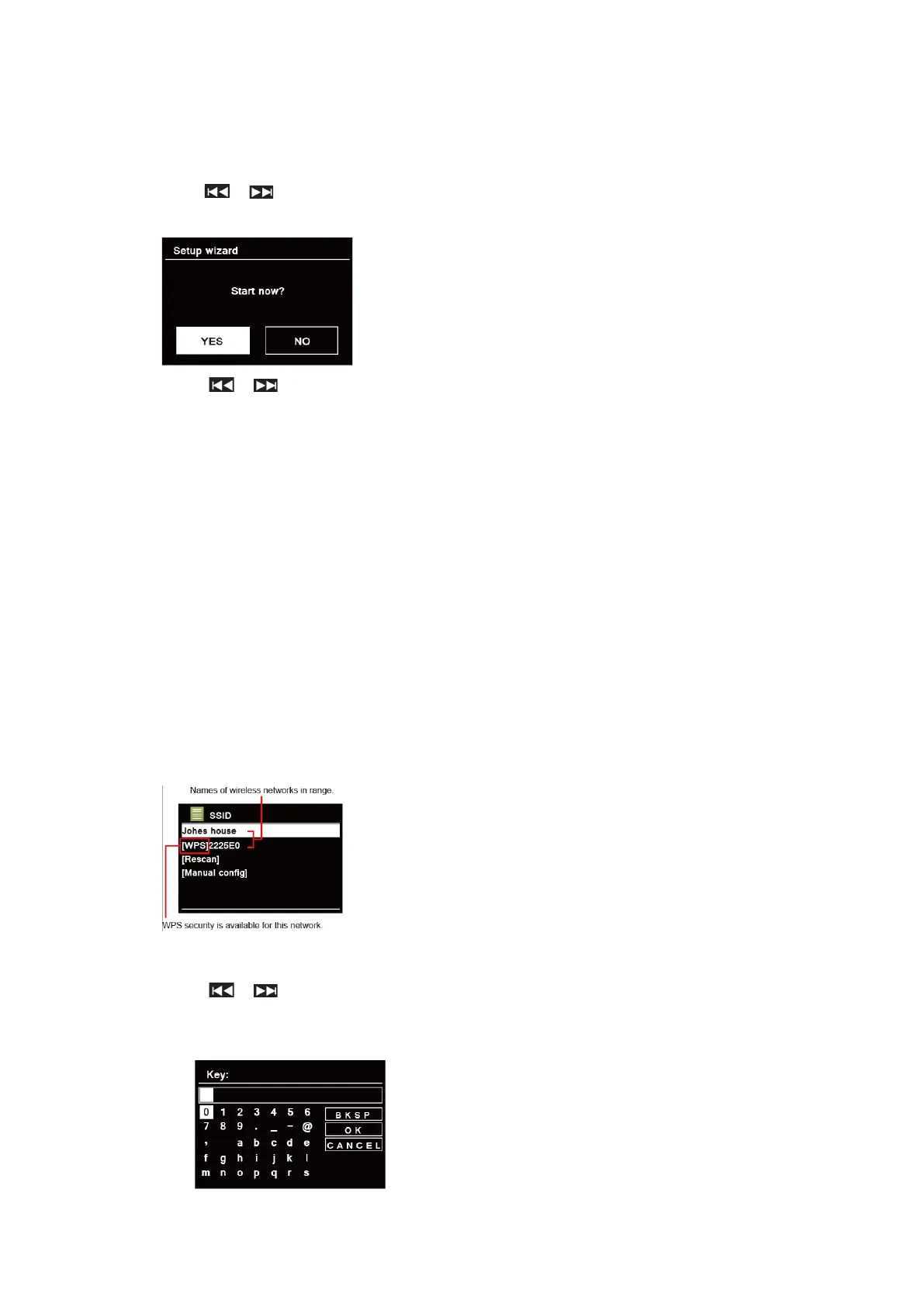
2. The “Setup wizard” screen will appear.
3. Press / to confirm “YES” and press SELECT to start setup.
Options include the following:
Date/Time
Set 12 or 24 hour format
Auto update
Synchronously update clock from the mode you select or set by manually.
l Update from DAB
l Update from FM
l Update from Network
l No update - Set date and time manually.
Keep network connected
Keeps network connected especially in non-internet mode (i.e. DAB, FM, Bluetooth and Aux
in mode) to enable you can use Spotify all the time.
Select YES or NO
4. Select wifi region “Europe” and press SELECT.
5. The Wizard will now scan your location for accessible wireless networks. When the scan has
finished, a list of networks will be displayed.
Devices that support connection via WPS (Wi-Fi Protected Setup) are identified in the list as
[WPS].
6. Press / to select your wireless and press SELECT.
1) If a WEP/WPA key (password) is required, radio will ask you to input the WEP/WPA
code and display the password entry screen as follows:



 To Next Page