5
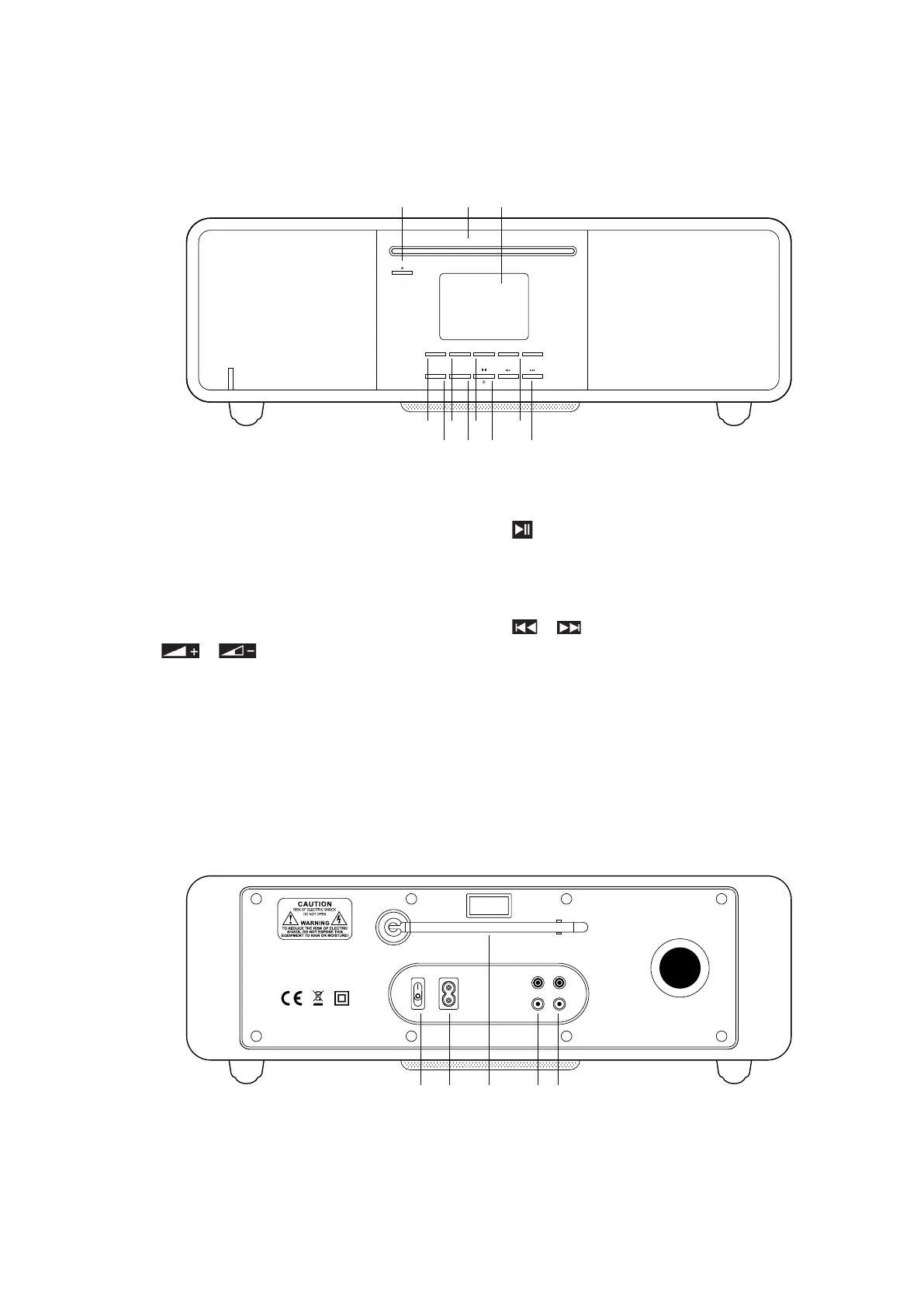
Your Radio
Front View
1. PRESET button
2. MENU button
Press - display or close menu
3. MODE button
Press - switch between DAB, FM,
Internet Radio, Spotify, Music Player,
Bluetooth, CD und Aux In Mode
4. / Volume buttons
Press - change Volume
5. SELECT button
Press - select/confirm
6. BACK button
Press - back to previous menu
7. / STANDBY button
Press - switch on the radio or put it to
standby
Switch off alarm
8. / button
Press – select (FF/FB CD mode)
9. Display
10. CD Player
11. EJECT button
Rear View
1. DAB/FM Antenna (removable)
2. AC In power socket
3. POWER toggle switch
4. LINE OUT Cinch socket
5. AUX IN Cinch socket
R
L
CLASS 1 LASER PRODUCT
100- 240V–A C 50/60 Hz 60W LINE OUT AUX INPOWER
APPAREIL A LASER DE CLASSE 1
MADE IN CHINA
Pinell Stereo 701
TT Micro AS
Postboks 150
0619 Oslo
Norway
3 2 4 51
PRESET MODEMENU VOL
-
VOL+
SELECT BACK
Pinell
1
65 7 8
2 3 4
1011 9



 To Next Page