25
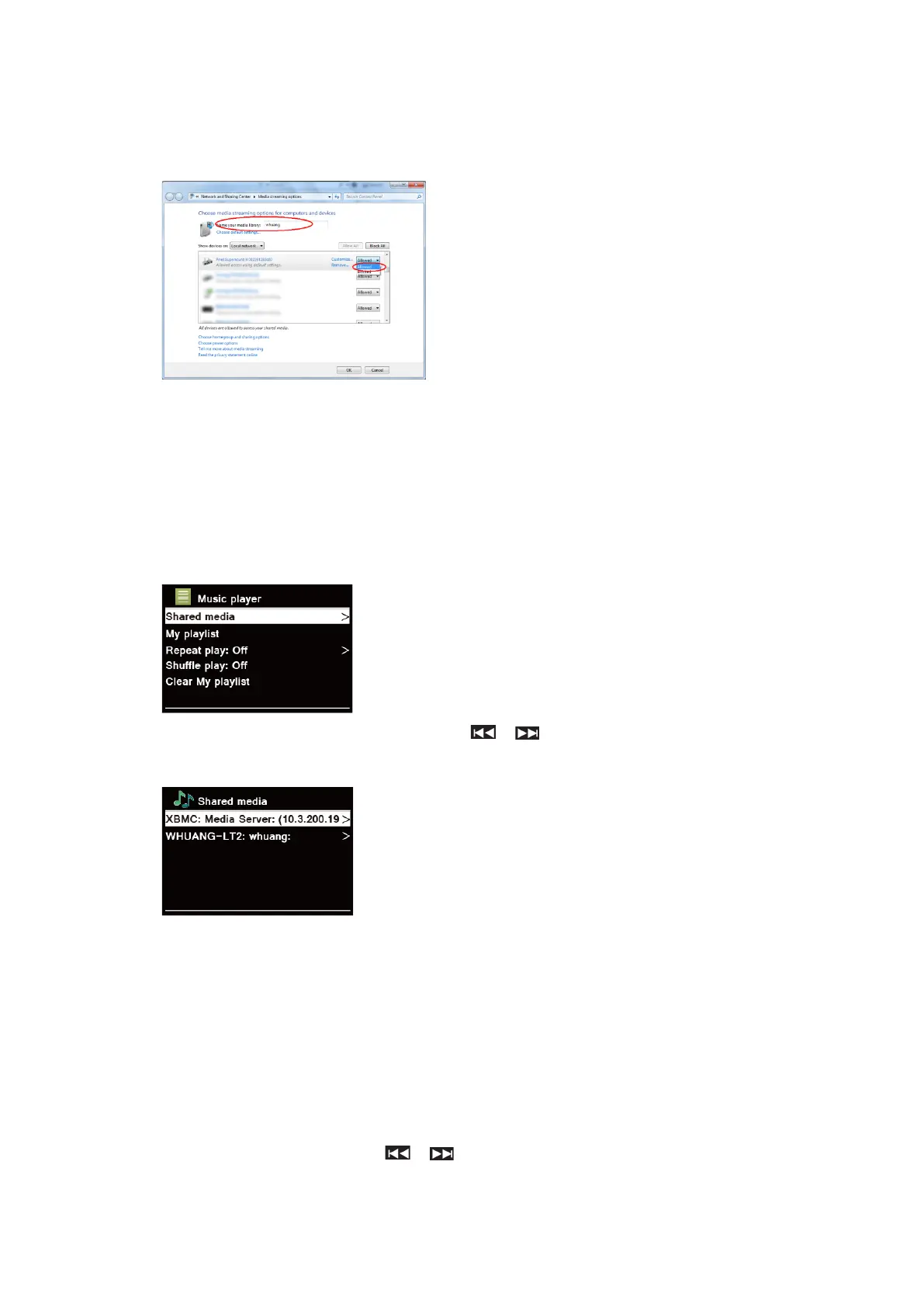
5. Make sure that the radio has access to the shared media by selecting it and clicking “Allow”.
You can also set a name for the shared media in the box of “Name your media library”. Click
“OK” to close the dialogue boxes.
6. The PC is now ready to stream the music to the radio. The WMP UPnP service runs in the
background; there is no need to start WMP explicitly.
Playing Shared Media
1. Press MODE button repeatedly to select Music Player mode.
2. While “Shared media” is highlighted, press SELECT to confirm.
3. Available media servers will be listed. Press / to select and press SELECT to
confirm, and then step by step to your selecting music.
My Playlist
The My Playlist feature enables you to create a playlist of your favourite tracks from your music
libraries.
Once you have your playlist ready you can choose to play through the playlist on your radio and
can also set shuffle and repeat play functions while your playlist is playing.
Repeat Play Mode
Press MENU button, and then press / to select “Repeat play: Off”, then press SELECT
repeatedly to shift repeat play “On” or “Off”.



 To Next Page