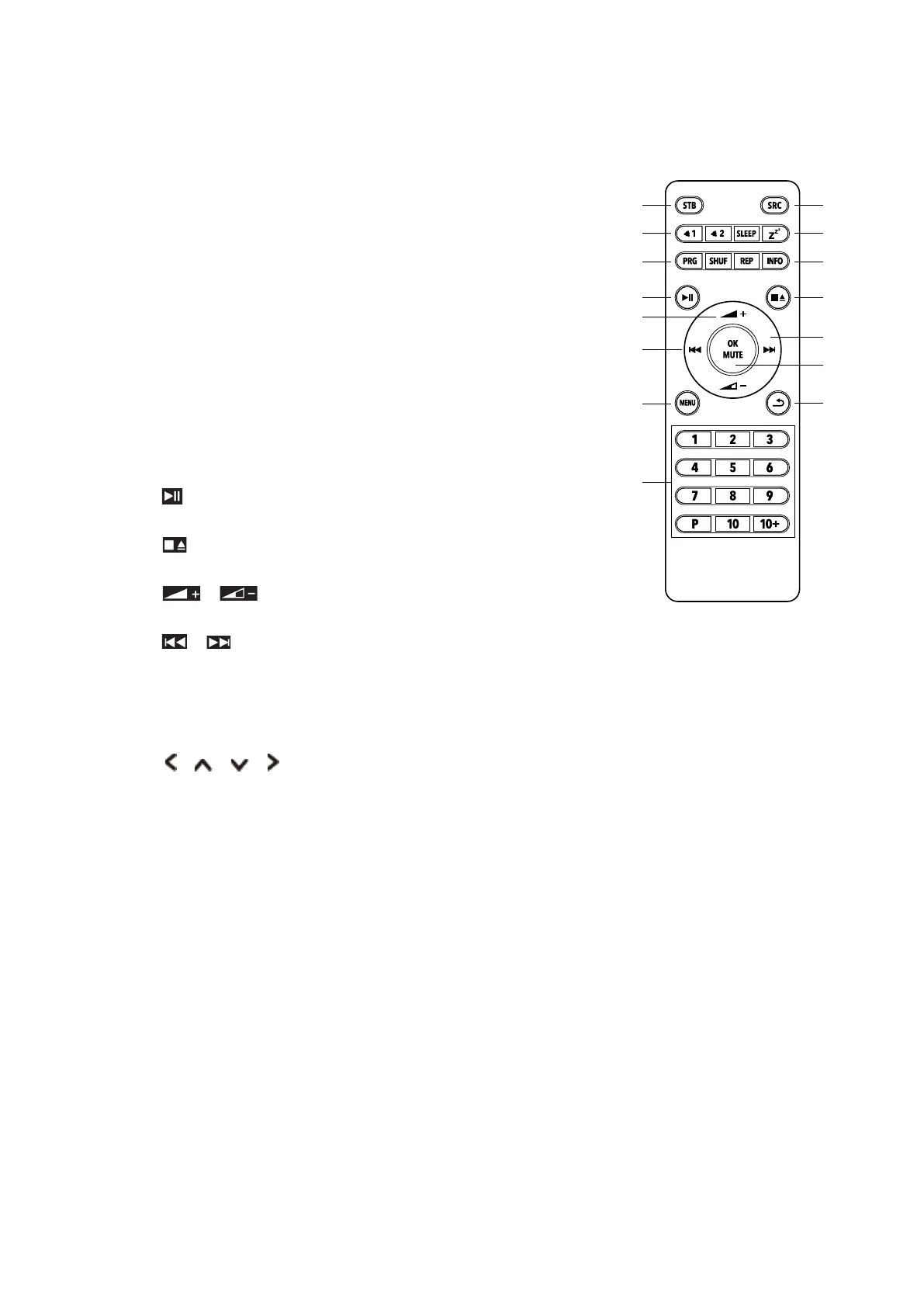
Remote Control View
1. STB button
Press - switch on the radio or put it to standby
2. SRC button
Press - switch between DAB, FM, Internet Radio, Spotify,
Music Player, CD, Aux In and Bluetooth
3. ALARM button
Press - set Alarm 1 and/or 2
4. SLEEP / SNOOZE button
Press SLEEP – set sleep time
Press SNOOZE - activate snooze when alarm goes on
5. PRG / SHUF / REP button
For CD-mode
6. INFO button
Press - show station information step by step
7. button (CD Player, Music Player and Bluetooth)
Press - pause/play title
8. button (CD Player)
Press - stop / eject / insert CD
9. / LAUTSTÄRKE +/- button
Press - change volume
10. / button (Music Player and Bluetooth)
Press - previous/next title
Press & hold - fast forward/backward
11. SELECT button
Press - select
button
Press – select option
12. OK / MUTE button
Press - select/confirm
Press - mute on/off
13. MENU button
Press - display or close menu
14. BACK button
Press - back to previous menu
15. 1-10, 10+, P button
Press & hold - store station
Press - recall station
10+ button
Press 10+ and 1-10 for position 11-20
P button
Press - display list
SRCSTB
SLEEP
Z
Z
Z
21
PRG SHUF
OK
MUTE
REP INFO
1 3
4 6
7 9
P
2
5
8
10
1 3
4 6
7 9
P 10
+
MENU



 To Next Page