13
3.6 Advanced Configuration
The available options in “Advanced menu” are:
STP Config The Spanning Tree Setup Screen
IGMP Config The IGMP Setup Screen
Stack Config The Stack Setup Screen
SNMP Config The SNMP Setup Screen
RMON Statistics Show RMON statistics information
Port Security The Port Security Setup Screen
MirrorPort Config The Mirror Port Setup Screen
Aging Control The Aging Control Setup Screen
Address Search The Address Search Setup Screen
3.7 STP Config
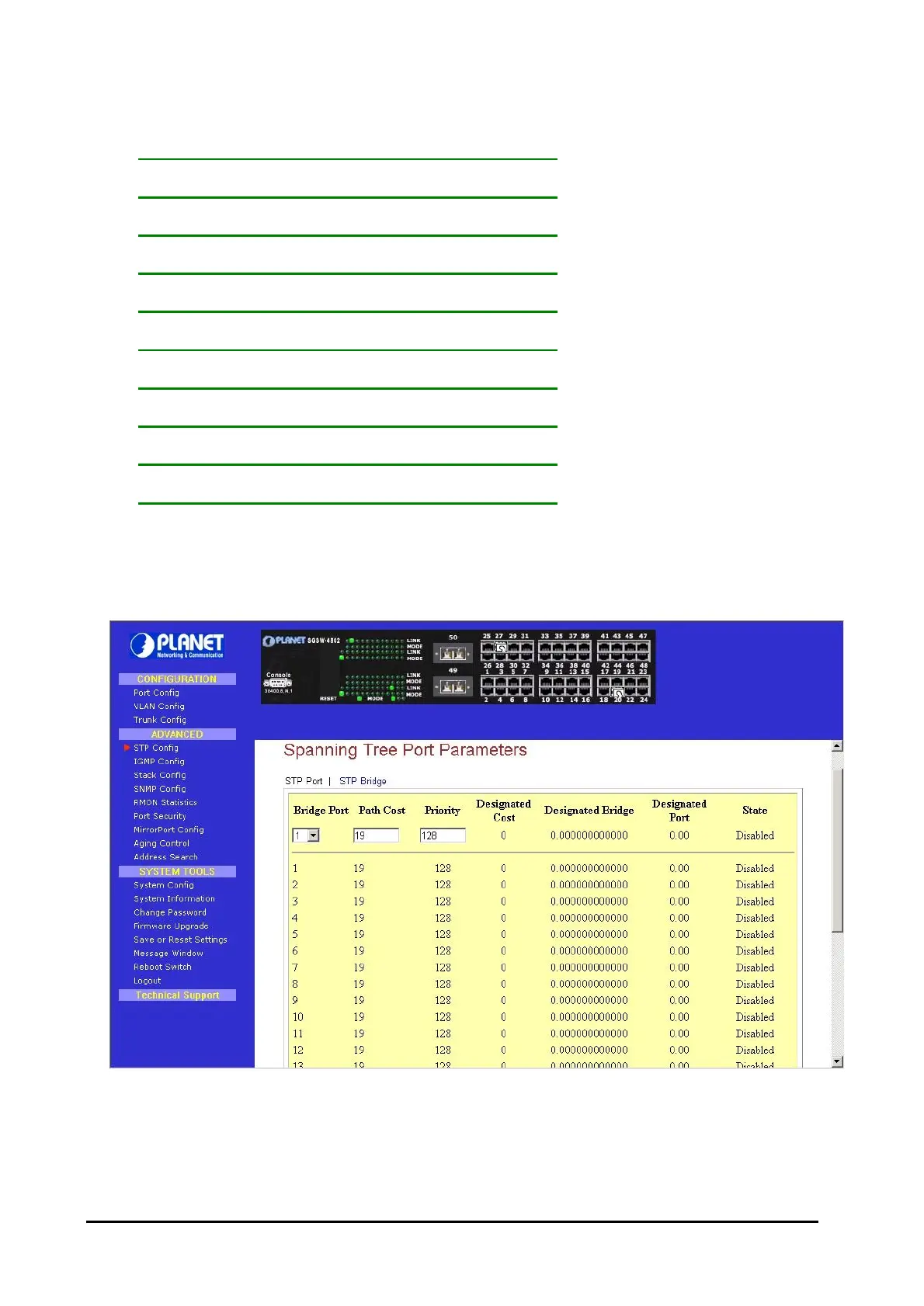
The STP Config provides two-menu pages to configure: STP Port and STP Bridge. The STP screen in
Figure 3-6 appears.
Figure 3-6: The STP Port Web Page



 To Next Page
 Loading...










