User Manual of WDAP-C3000AX, WDAP-3000AX, WDAP-W3000AX
- 108 -
5.4 iPhone/iPod Touch/iPad
In the following sections, the default SSID of the WDAP series is configured to “default”.
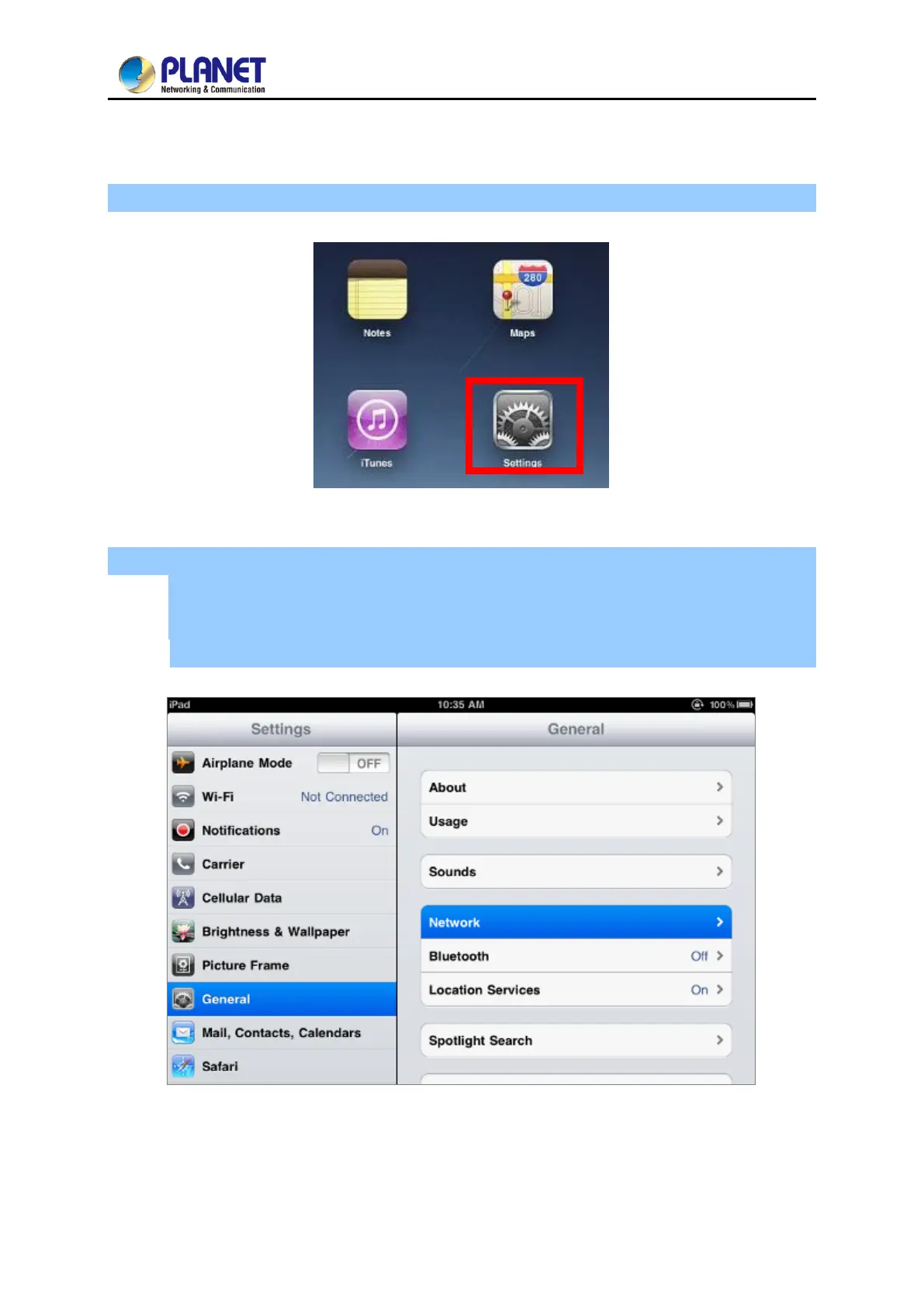
Step 1: Tap the [Settings] icon displayed in the home screen
Figure 5-16 iPhone – Settings icon
Step 2: Check Wi-Fi setting and select the available wireless network
(1) Tap [General] \ [Network]
(2) Tap [Wi-Fi]
If this is the first time to connect to the Wireless AP, it should show “Not Connected”.
Figure 5-17 Wi-Fi Setting



 To Next Page
 Loading...











