User Manual of WDAP-C3000AX, WDAP-3000AX, WDAP-W3000AX
- 38 -
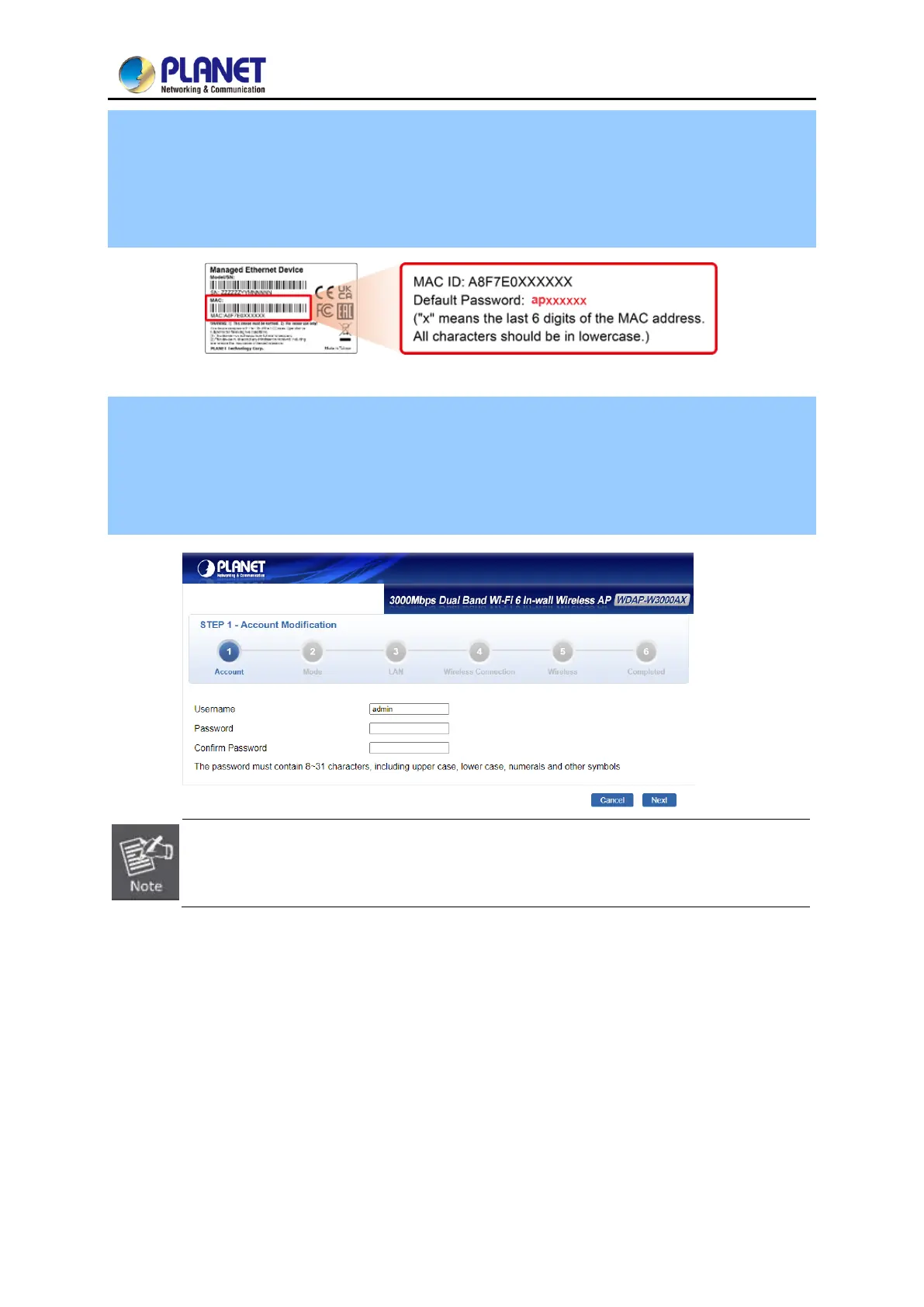
Step 3. Default Username: admin
Default Password: ap + the last 6 characters of the MAC ID in lowercase
Find the MAC ID on your device label. The default password is "sw" followed by the last six lowercase
characters of the MAC ID.
Step 4. After logging in, you will be prompted to change the initial username and password to a
permanent one.
The Password must contain 8 to 31 characters, including uppercase, lowercase, numerals and other
symbols. Please note spaces (blanks) are not accepted.
If the above screen does not pop up, it may mean that your web browser has been set to a
proxy. Go to Tools menu> Internet Options> Connections> LAN Settings on the screen that
appears, uncheck Using Proxy and click OK to finish it.



 To Next Page
 Loading...











