9 OPTIONAL FEATURES
16 Planmeca Chair User’s manual
9 OPTIONAL FEATURES
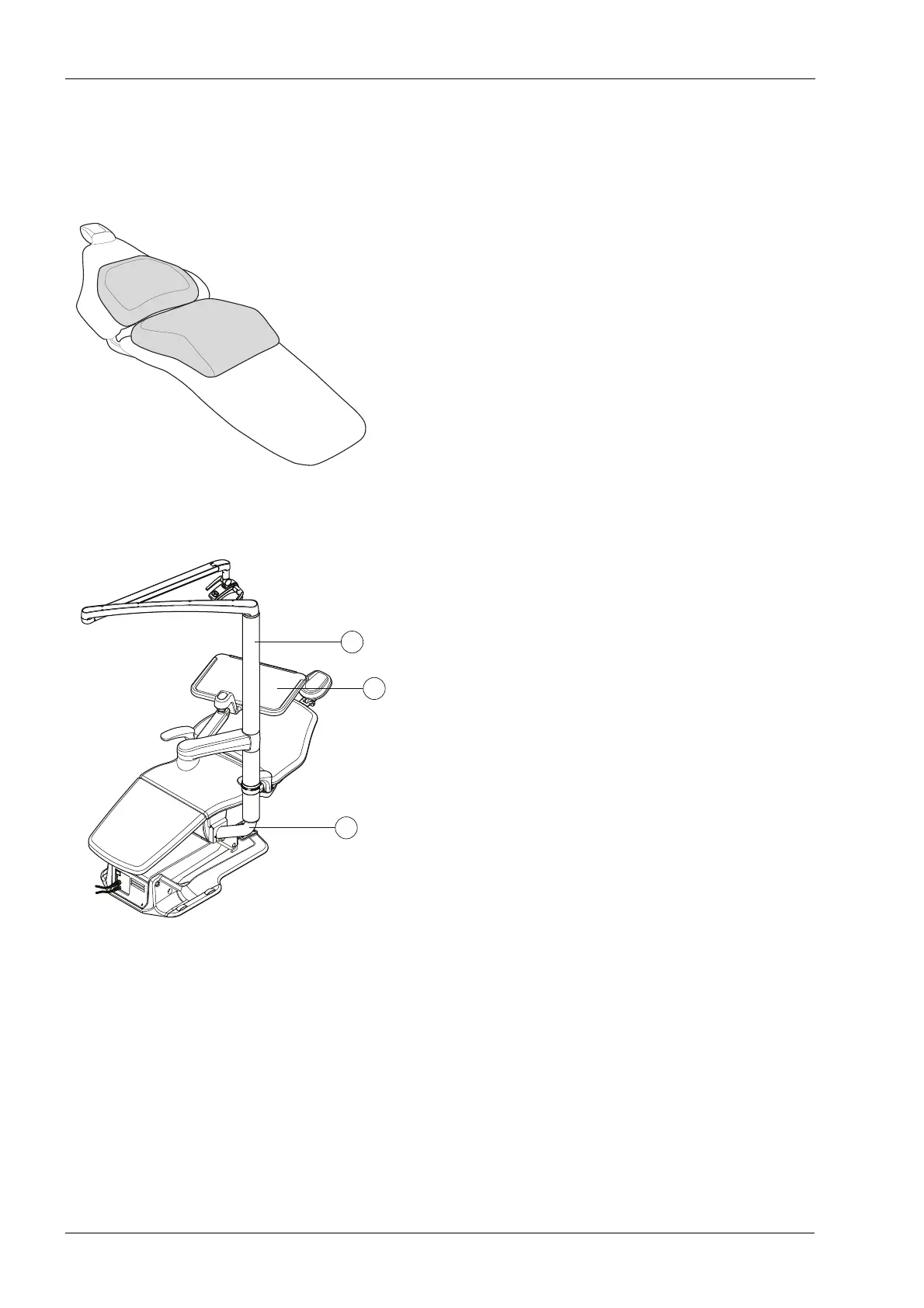
9.1 Child cushion set
Position the child cushion set onto the chair as shown in
the figure.
Support the backrest cushion with your hand and guide
the patient onto the chair.
Lift the backrest cushion upwards if it descends when the
backrest is in vertical position.
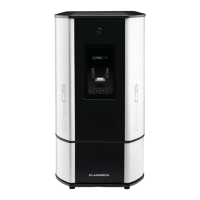
9.2 Operating light post and OP-tray
The Planmeca SingLED operating light or an OP-tray can
optionally be attached to Planmeca Chair. Their
installation requires that an adapter be installed between
the patient chair and the operating light post.
1. Operating light post
2. OP-tray
3. Adapter
When driving down the chair, make sure that nothing
gets squeezed between the adapter and the floor.









 To Next Page