7 USING CHAIR
10 Planmeca Chair User’s manual
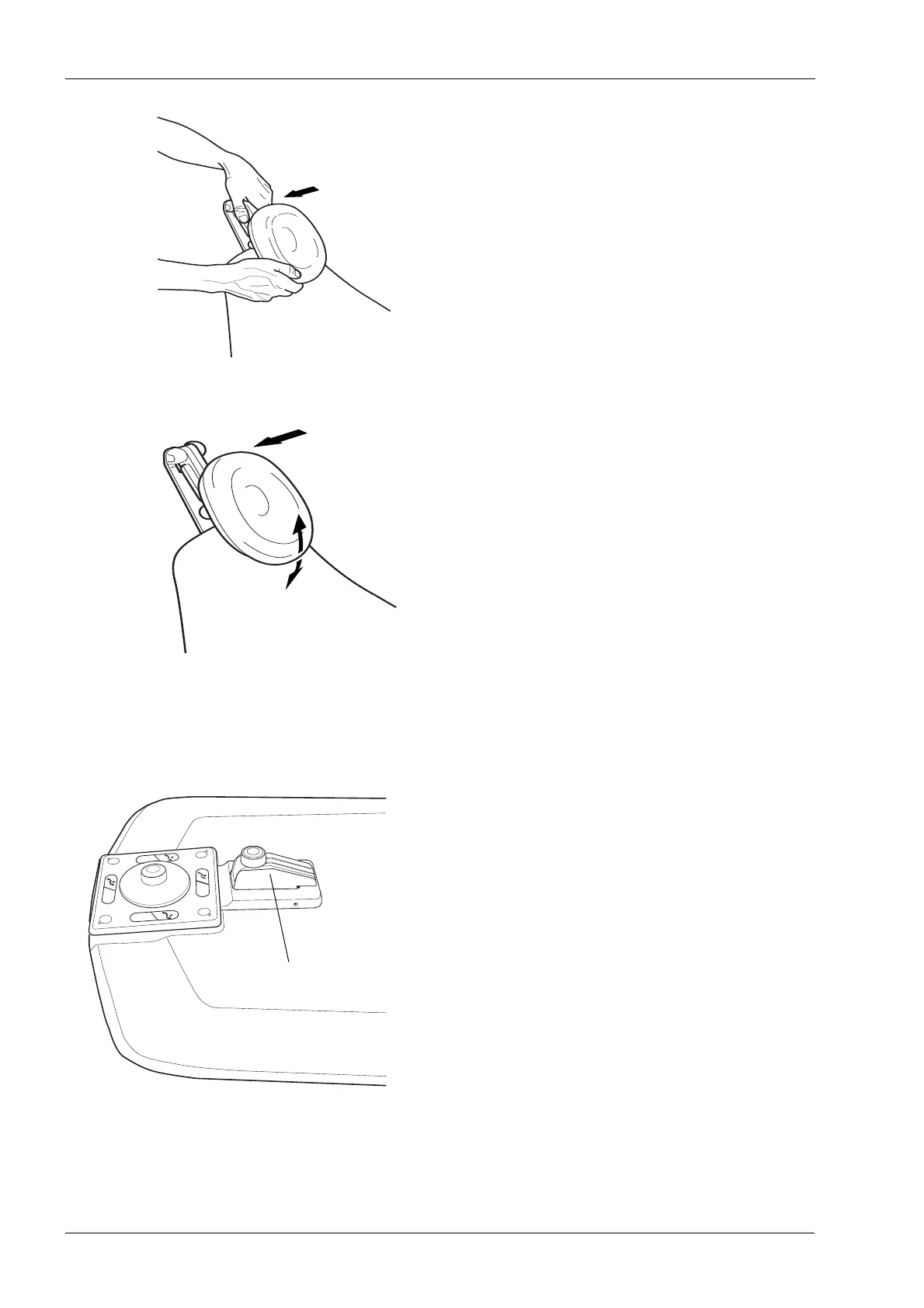
Press the bar on the side of the headrest support to
release the locking mechanism and position the headrest
at the top of the chair.
The headrest is now repositioned. To adjust the angle of
the headrest press the locking bar. Manually set the
headrest into the required position and then release the
bar. When adjusting, support the headrest with your other
hand.
7.4 Chair swivel
If required, the chair can be swivelled 90° to the right or
left. Release the locking mechanism by pressing the foot
switch located on the chair base. The chair can now be
manually swivelled up to 90in either direction. Release
the knob and rotate the seat until it locks to the nearest
locking position (increment is 5°).
Optionally the chair can be locked to its position in the
installation phase. This disables the swivel movement.









 To Next Page