9 OPTIONAL FEATURES
User’s manual Planmeca Chair 17
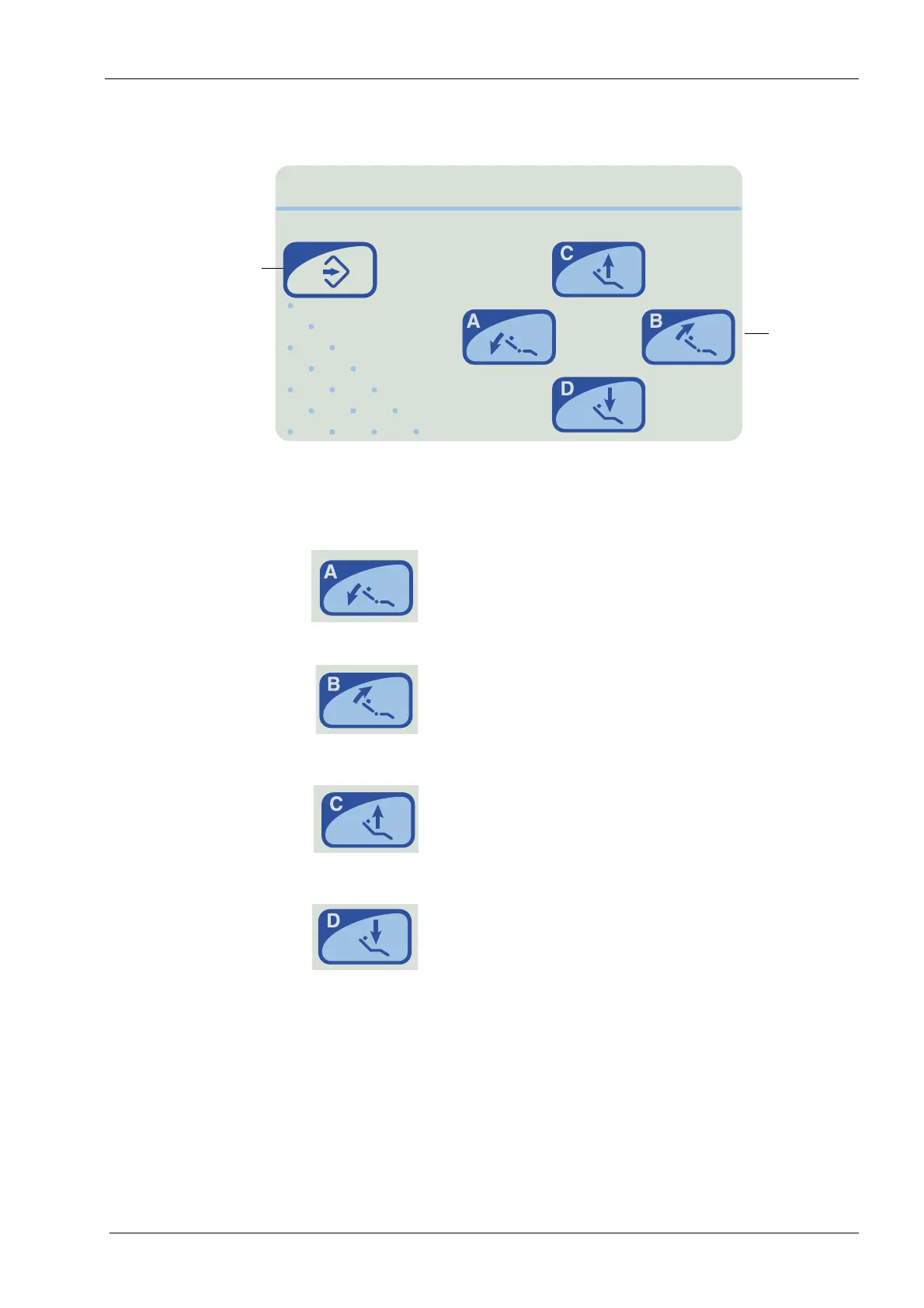
9.3 Remote control panel
9.3.1 Manual operation
Press and hold the A key to drive the backrest down.
When it reaches the desired position, release the key.
Press and hold the B key to drive the backrest up. When it
reaches the desired position, release the key.
Press and hold the C key to drive the chair up. When it
reaches the desired position, release the key.
Press and hold the D key to drive the chair down. When it
reaches the desired position, release the key.
The chair can also be driven using the foot control, see
section 7.7.1 "Manual operation" on page 12.
Chair
Programming
key
positioning
keys









 To Next Page