9 OPTIONAL FEATURES
18 Planmeca Chair User’s manual
9.3.2 Automatic operation
The chair incorporates a memory in which you can store
the chair positions that you want the chair to move to in
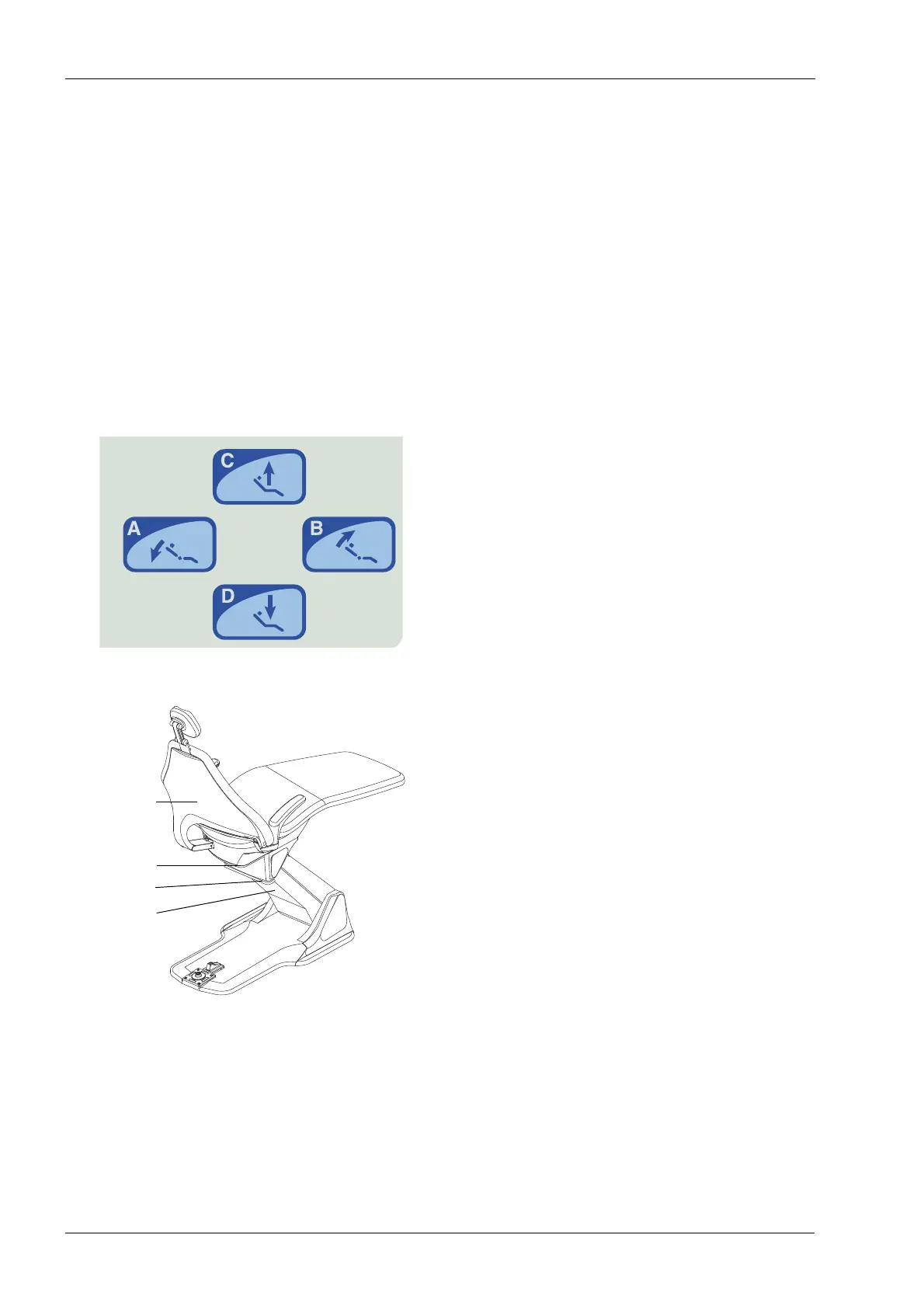
the automatic mode. There are four chair positions
available: the rinsing position (C) and three working
positions (A, B, D). The positions have been
preprogrammed at the factory, and can be changed by
the user. See section 9.3.3 "Programming chair positions"
on page 19 or 8 "PROGRAMMING CHAIR POSITIONS"
on page 15.
It is possible to disable the automatic movement to the
preprogrammed positions by connecting a jumper to the
Power supply PCB. Contact your Planmeca dealer, if
needed.
Press briefly the required chair position key. The chair will
move automatically to the preprogrammed position.
Position C is the rinsing position. Press the C key briefly
and the chair will move to the preprogrammed rinsing
position. The chair remembers its previous working
position; press the C key briefly again to return back to this
previous position.
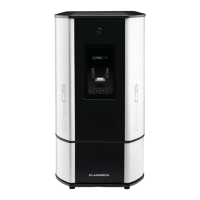
To stop the chair from moving before it reaches the
preprogrammed position, push the foot control in any
direction or press any of the chair positioning keys. You
can also press the backrest, the stop plate, or the stop
bar, or, press the stop cover on the underside of the lifting
mechanism upwards.
If you stop the chair by lifting the backrest, the stop plate,
stop bar or stop cover before it reaches its
preprogrammed position, you will hear a signal tone. You
will also hear a signal tone every two seconds when the
stop switch is active. To operate the chair again use the
foot control or the control panel keys.
If you wish to adjust the position of the chair when it has
reached its preprogrammed position, simply use the foot
control or the control panel in manual mode to drive the
chair to the desired position.
The chair can be driven to the automatic positions also
using the foot control, see section 7.7.2 "Automatic
operation" on page 14.
Stop bar
Stop plate
Backrest
Stop cover









 To Next Page