11 CHAIR SIGNAL TONES
User’s manual Planmeca Chair 25
11.1.5 Group 5 - Error codes with five beeps every two seconds
Hardware problem. See table 5.
11.2 Other signal tones
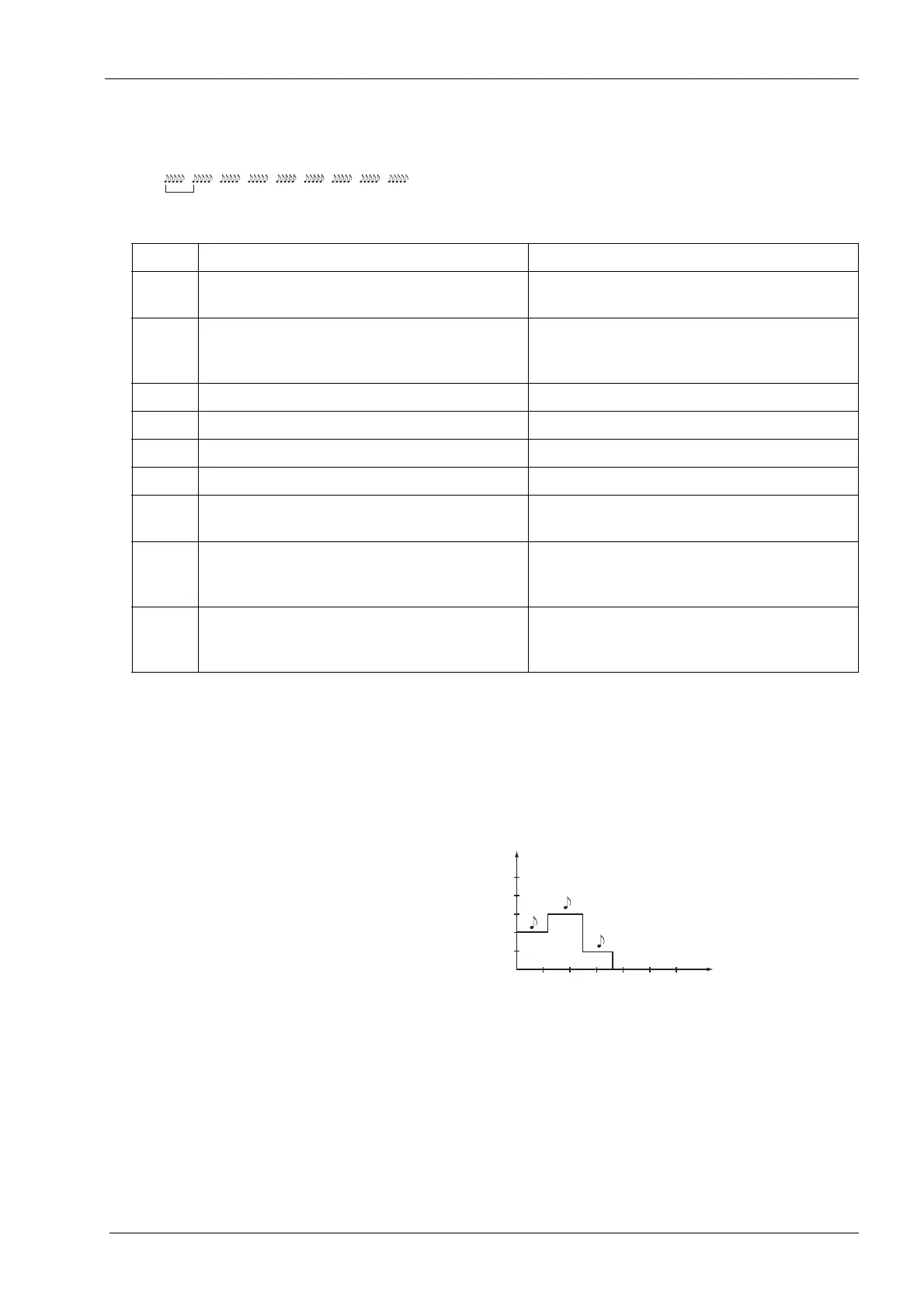
In the following figures a signal tone is shown with a note,
and the pitch of sound is expressed in Hz.
1. The chair is switched on.
2. An automatic chair position has been programmed
into the memory.
Table 5: Error codes with five beeps every two seconds
Code Name Description
11 ERROR_FLASH_ERROR Auto position read or write failed. Try power
off/on or replace PCB.
12 ERROR_INPUT_VOLTAGE_MEAS_ERROR Input AC voltage not detected. PCB is
powered from DC voltage or it is broken. Fix
mains input or replace PCB.
13 ERROR_INPUT_VOLTAGE_LOW Input AC voltage is below minimum level.
14 ERROR_INPUT_VOLTAGE_HIGH Input AC voltage is above maximum level.
15 ERROR_INPUT_FREQUENCY_LOW Input AC frequency is below minimum level.
16 ERROR_INPUT_FREQUENCY_HIGH Input AC frequency is above maximum level.
17 ERROR_INPUT_PHASE_MISSING One of the 24 VAC phases is missing. Check
connections between transformer and PCB.
18 ERROR_UNSUPPORTED_PCB_VER PCB version is either too old or new for current
software version. Update software or replace
PCB.
19 ERROR_STICKY_KEY Some user interface button is stuck. Check
foot controls, additional keyboards and internal
wirings.
100 200 300 400 500 600 t/ms
Hz
120ms
120ms
120ms
660
739.5
832.5
1100
1479









 To Next Page