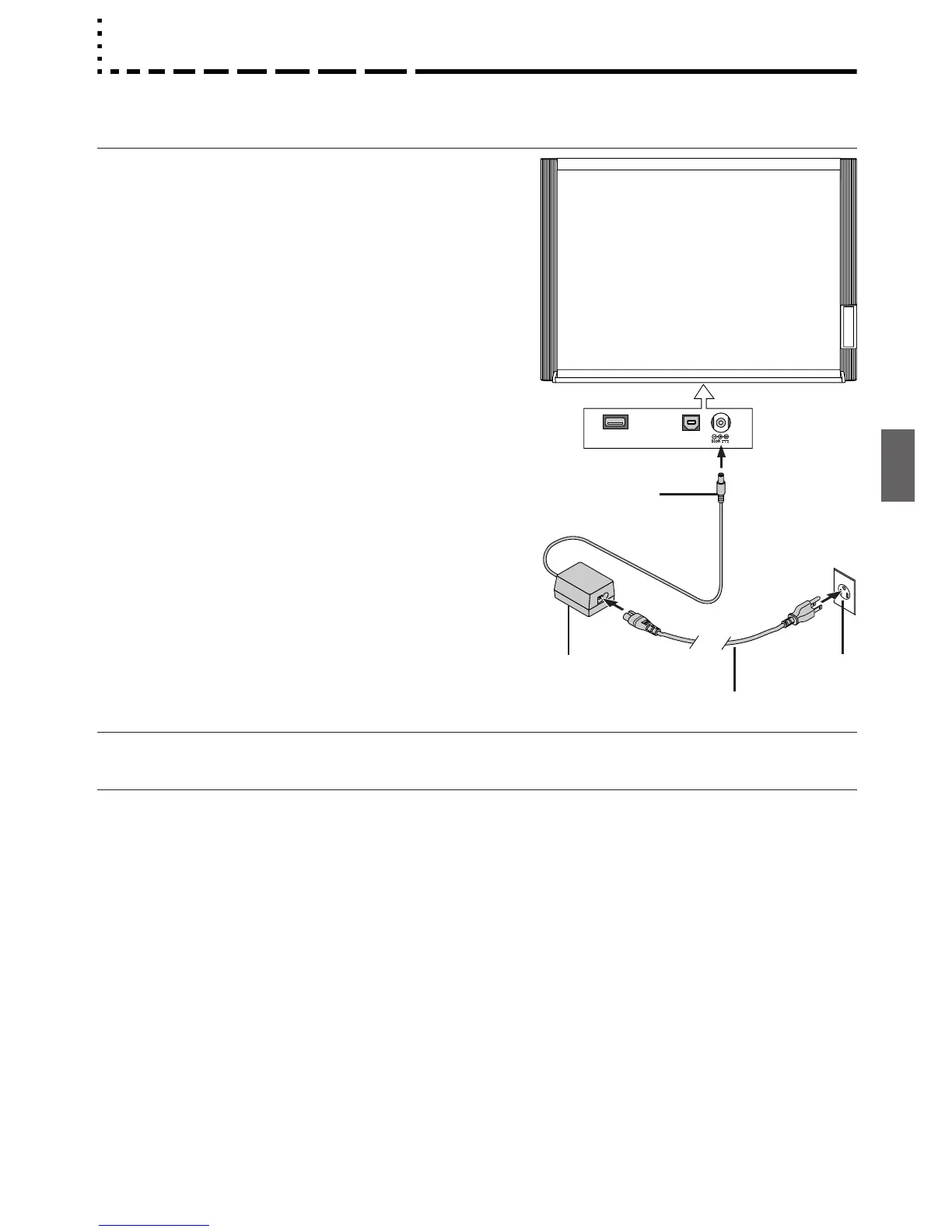
AC Power Adapter Connections
To use the copyboard, connect the supplied AC power adapter.
1 Connect the DC plug of the AC power adapter to
the DC power connector of the copyboard.
2 Connect the AC power cord to the AC power
adapter.
3 Plug the AC power cord into a AC power outlet
in a wall.
The descriptions of this manual pertain to the condition in which
the AC power adapter is connected.
When the copyboard is not being used
Disconnect the AC power adapter from the wall outlet.
Insert plugs
securely
AC power adapter
AC power cord
AC power outlet
DC plug
Notice
• When the power plug will be unplugged from the power outlet, please place the Copyboard near the power outlet so that it
may be reached easily.
View from
underneath



 To Next Page