E-24
Software Contents and Overview
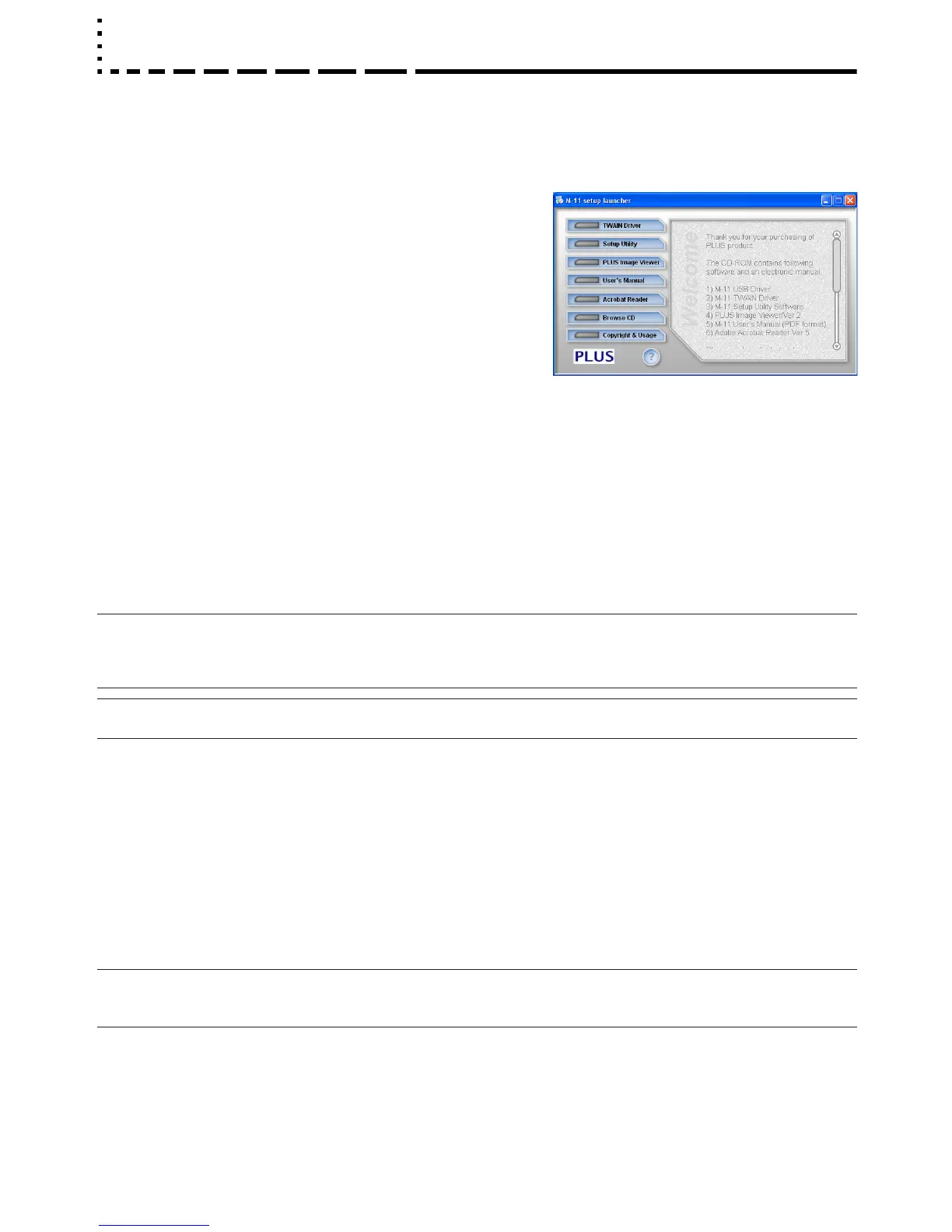
• USB Driver
This driver software makes the computer recognizes the Copyboard as
an external device when there is a USB connection. Be sure to install
this USB driver when connecting the PC dedicated USB port with the
computer.
• TWAIN Driver
This drive is used to acquire the scanned data into a computer as an
image.
* This driver may not work on some applications.
* This driver conforms to TWAIN standard (ver. 1.9).
• Setup Utility
This is a utility for customizing the M-11’s environmental settings.
• User’s Manual
The User’s Manual is stored on the CD-ROM in PDF format.
If Acrobat Reader is not installed on the PC, click “Acrobat Reader” on the menu and install it according to the instructions on
the screen.
• PLUS Image Viewer
This utility is used to display the images stored in a personal computer or print it out.
• Acrobat Reader
This software is used to view PDF files.
· Browsing the CD-ROM
Explorer running on the personal computer is used to display the contents of the CD-ROM.
· Copyrights and usage conditions
This opens the copyrights, usage conditions,etc.
Note
• When installing on Windows 2000, please install the software with “Administrator” authority (i.e., a user having administrator
authority).
• When installing on Windows XP, please install the software with “Computer Administrator” authority (account).
Notice
• The help of the PLUS Image Viewer uses the online help system that is used for Microsoft HTML Help.
Supplied Software Setup Guide
The supplied CD-ROM contains the software and manuals described below. See the Help information of the vari-
ous software programs for information about how to use the software.
Operating Environment
Supported OS: Microsoft Windows 2000 Professional (Service Pack 4 or later)/
XP (HomeEdition / Professional Edition Service Pack 2 or later)
Supported PC: IBM PC/AT or completely compatible machines that operate the aforementioned OS
CPU: Pentium II or later
Memory: Windows 2000 (128 MB or bigger), Windows XP (256 MB or bigger)
Free hard disk space: 40 MB or bigger
Display resolution: 800 × 600 pixels or higher
Peripheral devices: a CD-ROM /DVD-ROM drive, a standard USB port (USB 1.1 or 2.0)
Web browser: Internet Explorer 6.0 or later
Notice
• All operations are not guaranteed under the aforementioned operating environment.
• Not compatible with Windows 95, 98SE, Me, NT, 2000 Server or Server 2003.



 To Next Page