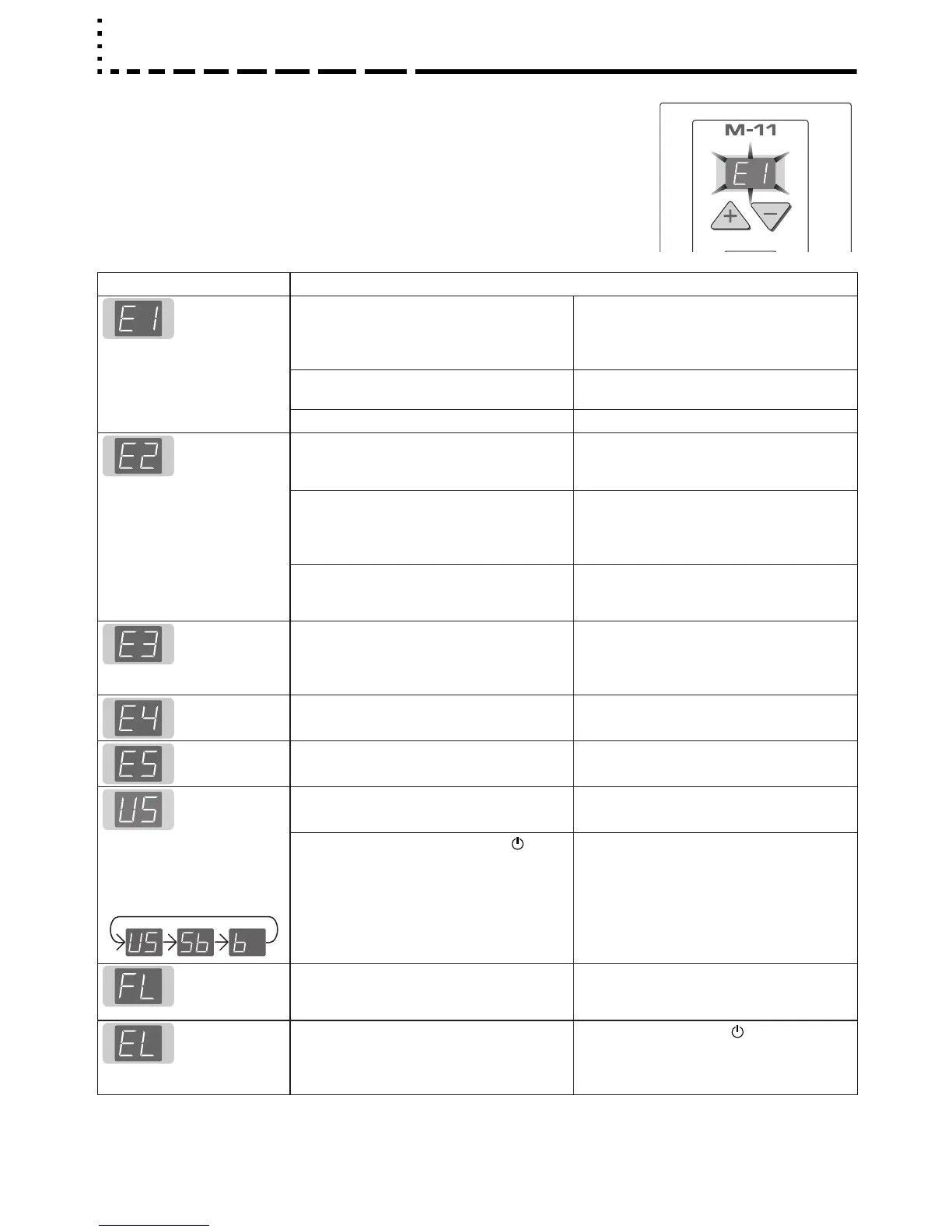
If any of the following flashing indications appear in the display window of the
control panel, please check the matters described below.
The flashing will continue for 5 seconds. Error messages will flash for 5 sec
-
onds; however, error displays of “E4” and “E5” will be lit steadily after the flash
-
ing stops.
Error Display Number Problem and Solution
Printer not
connected
No printing
paper
Printer problem
• Is the printer cable connected?
• Is power being supplied to the printer?
• When the printer uses an AC power adapt-
er, is the cable disconnected somewhere?
• Connect the printer properly and switch on
the printer power.
• Has paper been set in the printer? • Insert A4 or Letter size paper into the
printer.
• Is the printer error indicator flashing (or lit)? • Read the printer instruction manual.
USB Memory
not recognized
• Is the USB memory unformatted. • This unit supports the FAT 12/16 and FAT
32 formats. Perform the formatting with the
personal computer.
• Is a USB memory that is not supported by
the copyboard being used?
• Please see our home page for information
about USB memories that can be used
with the copyboard.
( http://www.plus-vision.com )
• Is the USB memory device plugged in
fully?
• Is the memory card damaged?
• Please check the operation with a personal
computer.
USB Memory
storage
problem
• An error occurred during USB memory
storage.
• Please perform USB memory storage
again.
• Do not insert or remove the USB memory
card during processing.
Reading
problem
• There is a lighting fault of the reading light
source, or a read signal error.
• Unplug the power plug from the power out-
let and then plug it in again.
System error • There is a memory or internal fault. • Unplug the power plug from the power out-
let and then plug it in again.
USB memory
not connected
• USB memory device is not plugged into the
main unit.
• Plug the USB memory device into the USB
port.
When the “USb” letter dis-
play is flowing...Warning
that disconnection of USB
memory has been forgotten
• Did you press the ON/Standby button
while the USB memory device was plugged
into the main unit?
• A USB memory device is plugged into the
main unit. When the USB memory device
is disconnected, the power will be switched
off and the unit will enter the standby
mode.
USB Memory
is full
• There is no available space. • Please delete unnecessary data using a
personal computer or this machine (See
Page E-21).
An unsup-
ported printer
is connected
• A printer that is not supported by the copy-
board has been connected.
• Press the ON/Standby button and switch
off the power. When a record is required,
switch on the power and save to USB
memory.
If the problem persists, please contact your nearby PLUS Vision sales office, dealer, or store.



 To Next Page