GETTING STARTED
14
The Home screen consists of 5 desktops. To scroll the Home screen, move
your finger across the screen or tip the counter icon in the left or right corner
of the screen.
USING THE ON-SCREEN KEYBOARD
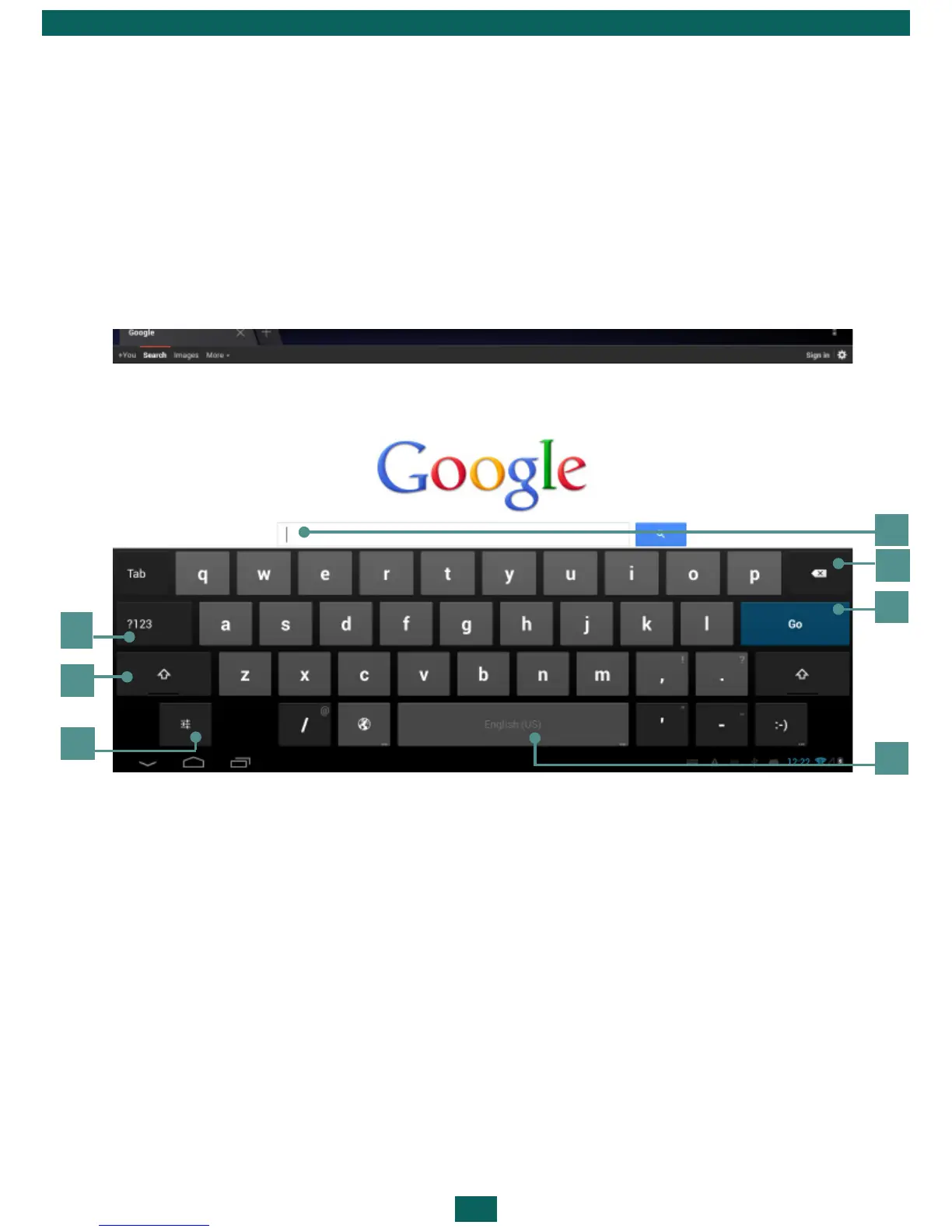
To access the on-screen keyboard, touch any textbox. Enter your text by
touching the keys of the on-screen keyboard.
1. Switches to symbol mode;
2. Switches between upper and lower case;
3. Settings and additional features;
4. Field for text typing;
5. Backspace – delete a previous sign;
6. Input text;
7. Continuous press changes input languages.
1
2
4
5
6
7
3



 To Next Page