18
Software
MANAGE DATA
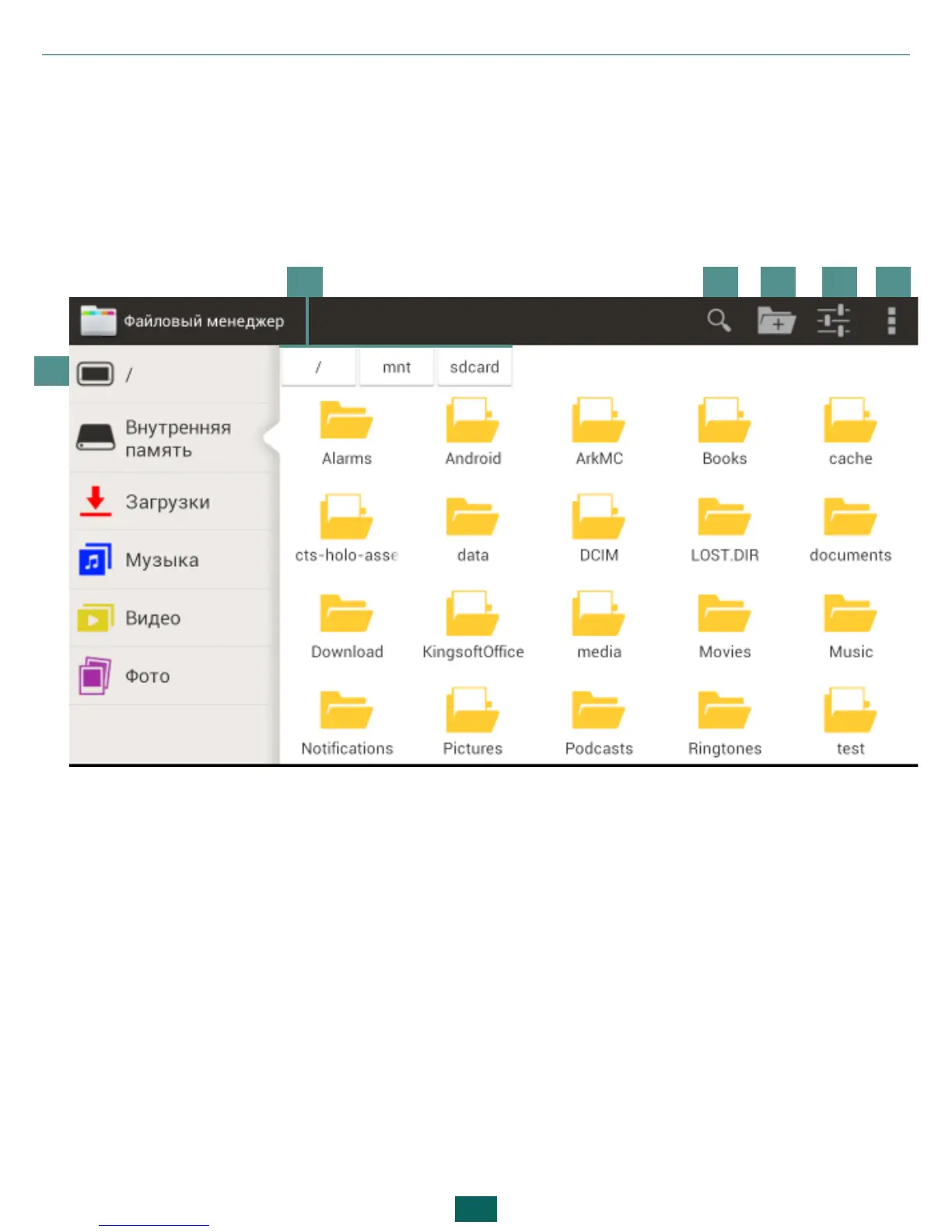
Use File Manager to operate with files, stored in internal Device memory
and external microSD card. To open File Manager, press on its icon in the
list of applications.
1. Root folder – returns to the highest level of file hierarchy;
2. Path to folder location;
3. Search – opens search textbox;
4. Create folder;
5. Select several files/folders;
6. File Manager settings.
Context menu, evoked by continuous press on element, allows moving, cop-
ying or deleting files.
1
2 3 4 5 6



 To Next Page