SETTINGS
38
WI-FI CONNECTION
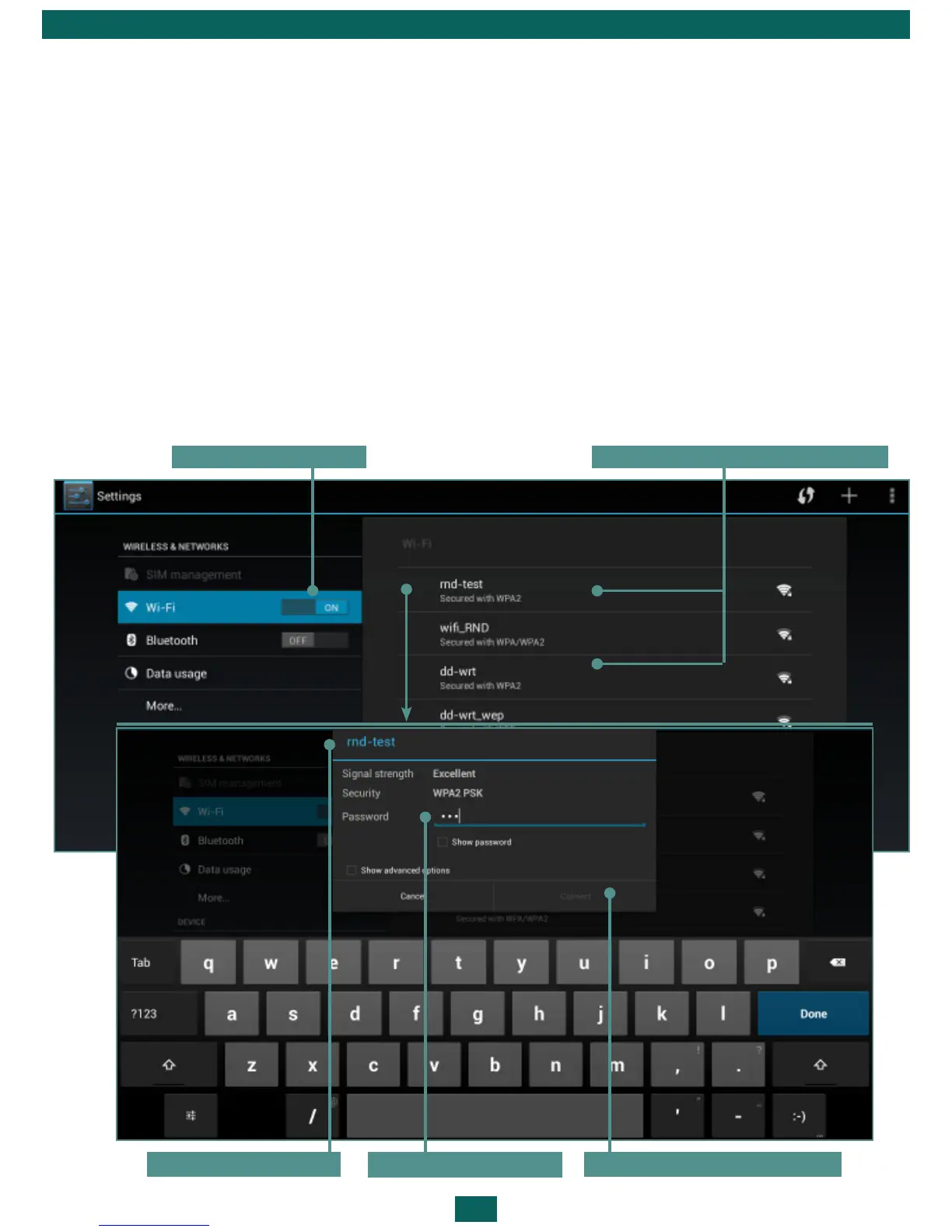
Connecting to Wi-Fi Network with Automatically Obtained IP-address
1. Go to Settings > Wireless & networks and slide the Wi-Fi switch to the On
position. The device scans for available Wi-Fi networks and displays the names
of those it finds.
2. Touch a network name to connect to it and type a password if necessary.
Press Connect.
At this network tapping IP-address will be obtained automatically. You can
view advanced network options, ticking Show advanced options.
Turn on Wi-Fi List of available networks
Chosen Wi-Fi
Enter password
Press ‘Connect’



 To Next Page