SETTINGS
40
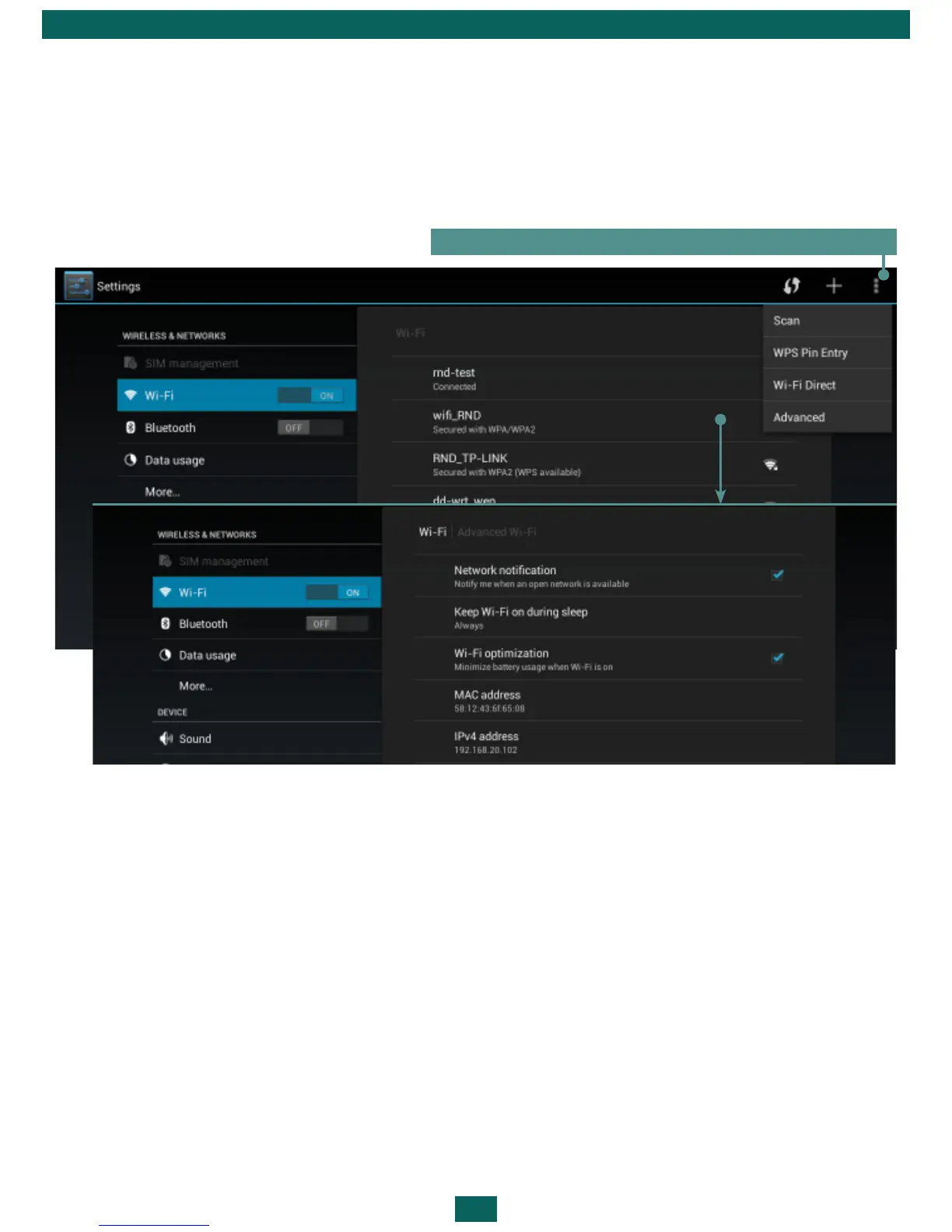
ADVANCED OPTIONS
Advanced options allow turning on/off notifications when an open network
is available. To envoke them, open Settings > Wi-Fi and press the application
menu button on the right top corner of the screen and touch Advanced.
TURN OFF WI-FI
To turn off Wi-Fi module slide the Wi-Fi switch to the Off position in the Set-
tings > Wireless &networks section.
Button for evoking advanced options
BLUETOOTH
To establish Bluetooth connection, check the corresponding checkbox, or
press power management widget button. To configure Bluetooth, go to
Bluetooth settings section and specify Device name, set visibility and its pe-
riod. To detect other devices press Scan for devices. To connect to the device,
press its name in a list.



 To Next Page