29
Settings
In this chapter you will learn how to configure the Device for the most com-
fortable usage and make it truly yours. You can open settings in several ways:
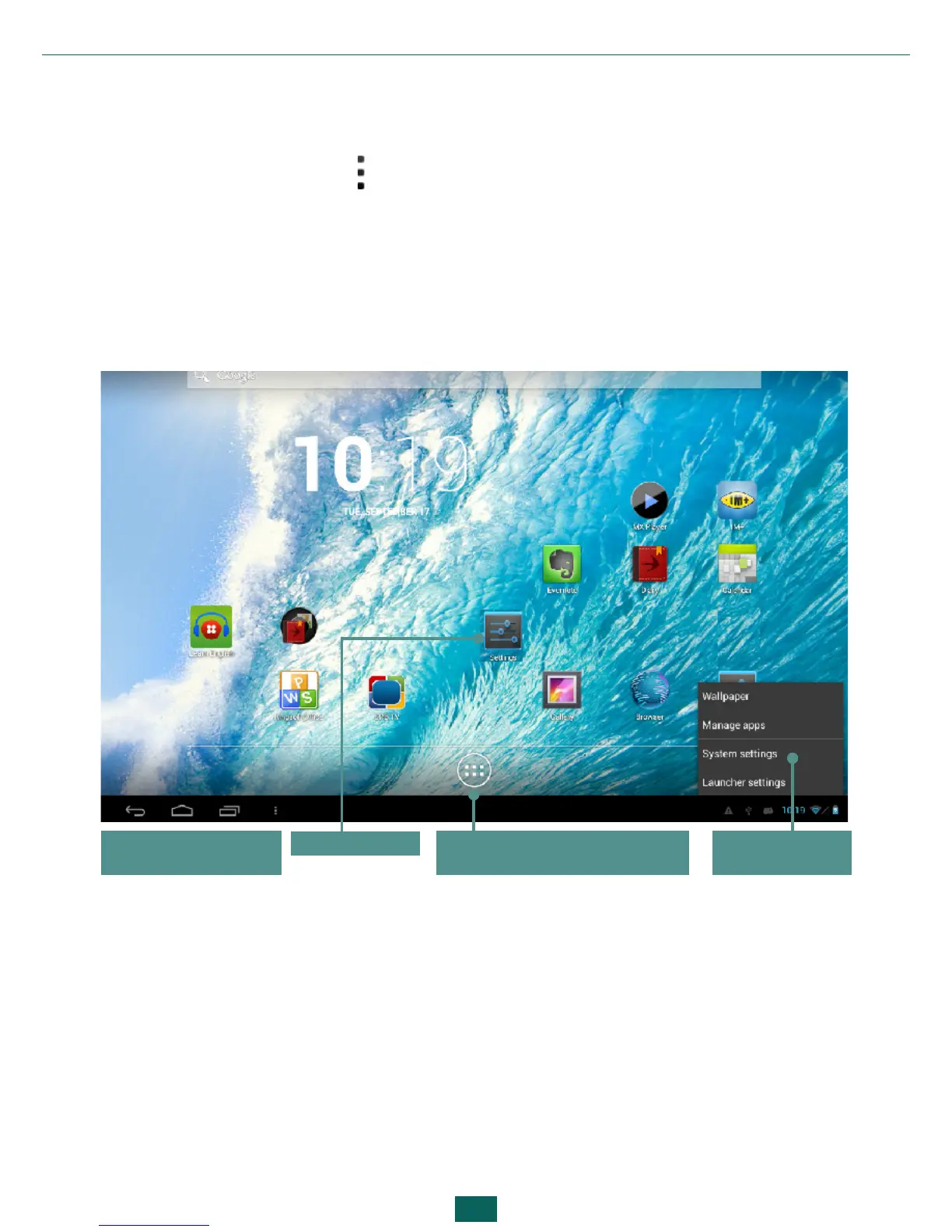
•press the menu button in the bottom of the screen;
•open all available applications (button on the application panel) and select
the System settings icon;
•press the Settings icon on the device display.
Button for invoking list of
applications and widgets
Settings icon
Press System
settings
Button for invok-
ing Settings menu



 To Next Page