SETTINGS
39
Connection to Wi-Fi Network with Manual Configuring Network
Settings
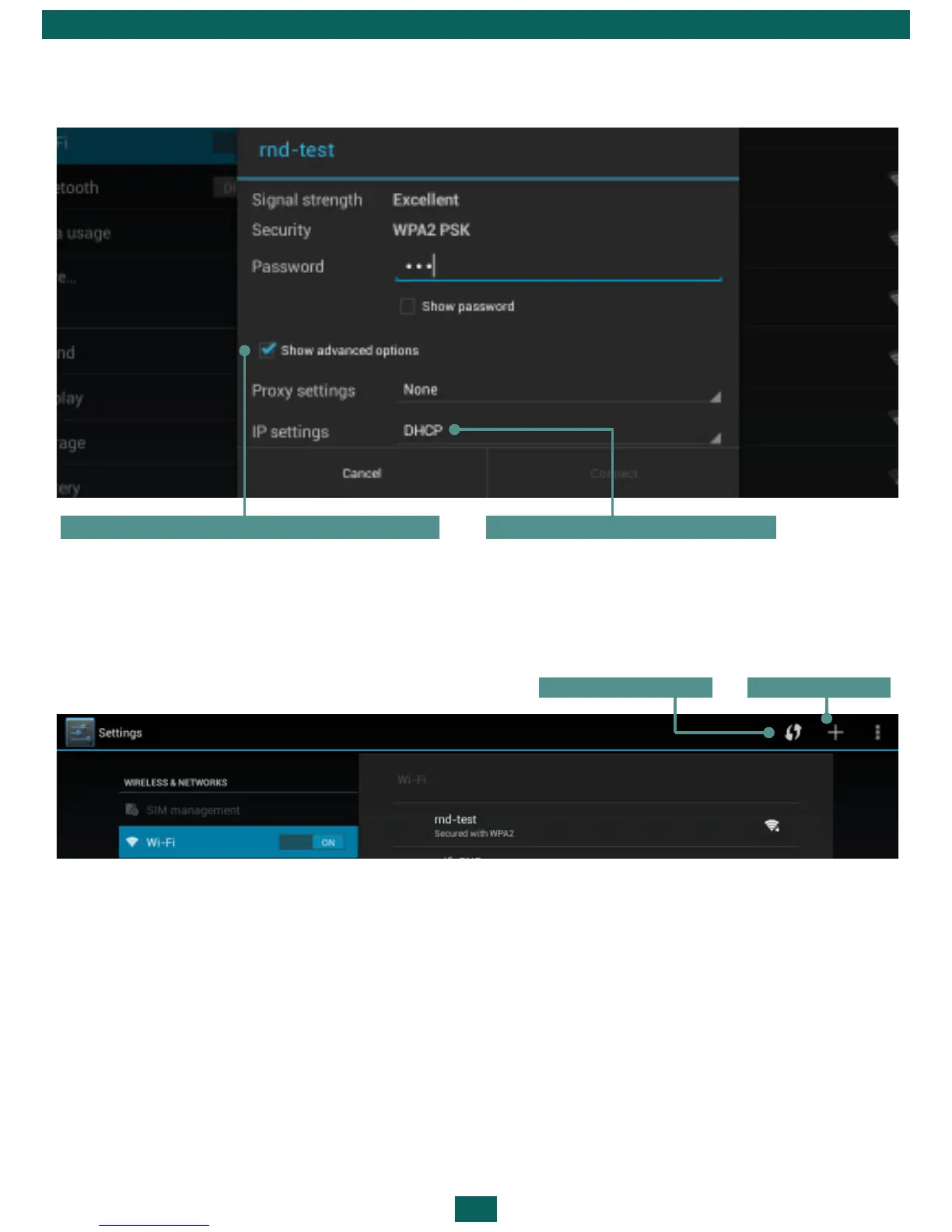
1. To set parameters for Wi-Fi network access manually, press Add network in
Settings, specify a network name, security protocol, password in the opened
window and press Save.
2. Touch & hold a network in the list of Wi-Fi networks you’ve added. Touch
Modify network in the dialogue, which appears. Select Show advanced options.
3. If the network has no proxy settings, touch None under Proxy settings, else
touch Manual in the menu that opens.
4. Enter the proxy settings supplied by your network administrator.
5. Touch Save.
6. touch Static under IP settings and enter IP address, gateway, DNS.
7. Touch Save.
Tick it to view advanced options Settings by default
Add networkNetworks search



 To Next Page