SETTINGS
42
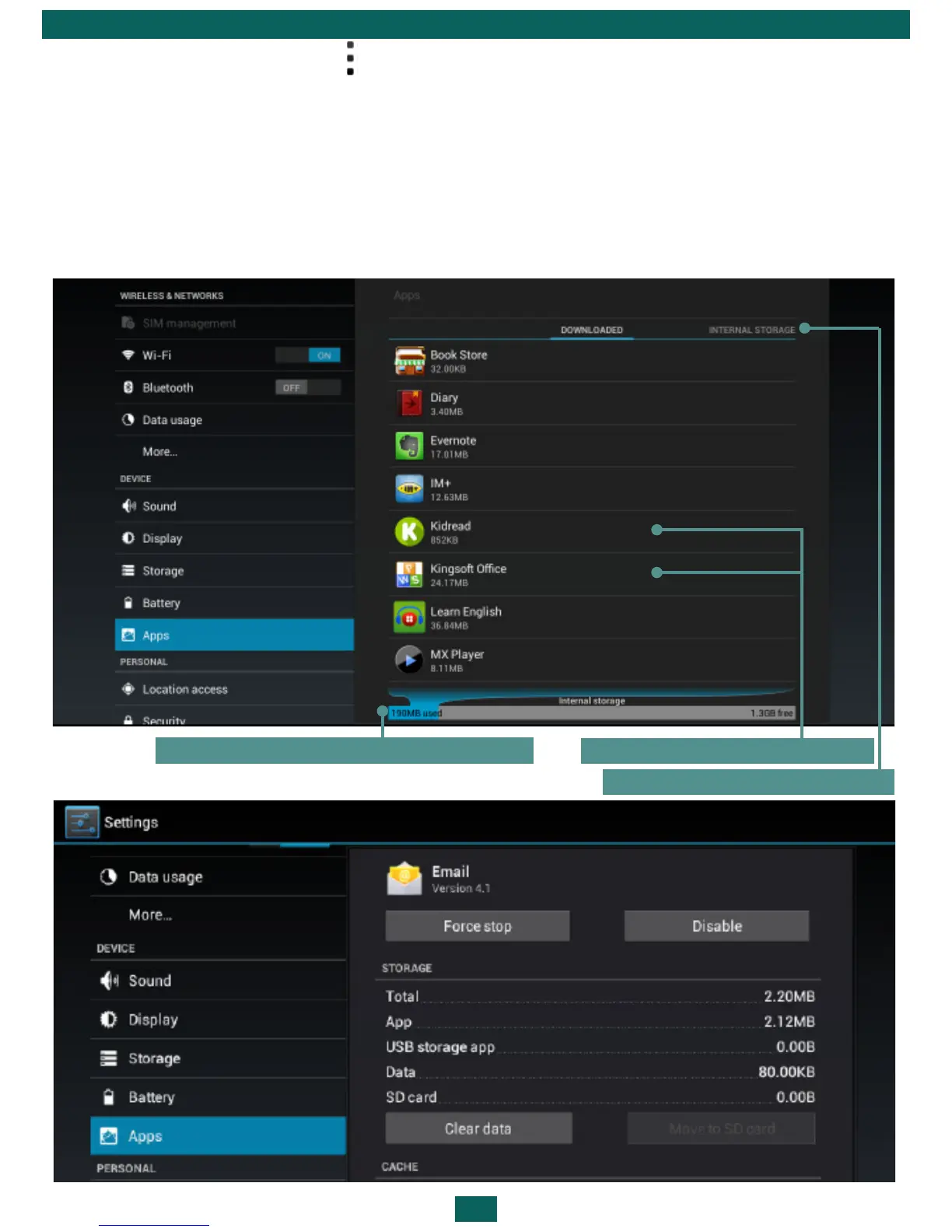
•Press the menu button at the bottom of the screen and choose Manage
apps;
•Go to Settings > Device > Apps.
After pressing the application’s title, you’ll be able to view its detailed infor-
mation, stop it if it’s running and erase application data.
Choose the applications list
Installed applications
Memory, occupied by applications



 To Next Page