20
In addition to the settings available on your watch, you can edit Sport
Profiles in the Polar Flow web service and app. Customize your watch with
your favorite sports and the information you want to follow during your
training sessions. See Sport Profiles in Flow for more information.
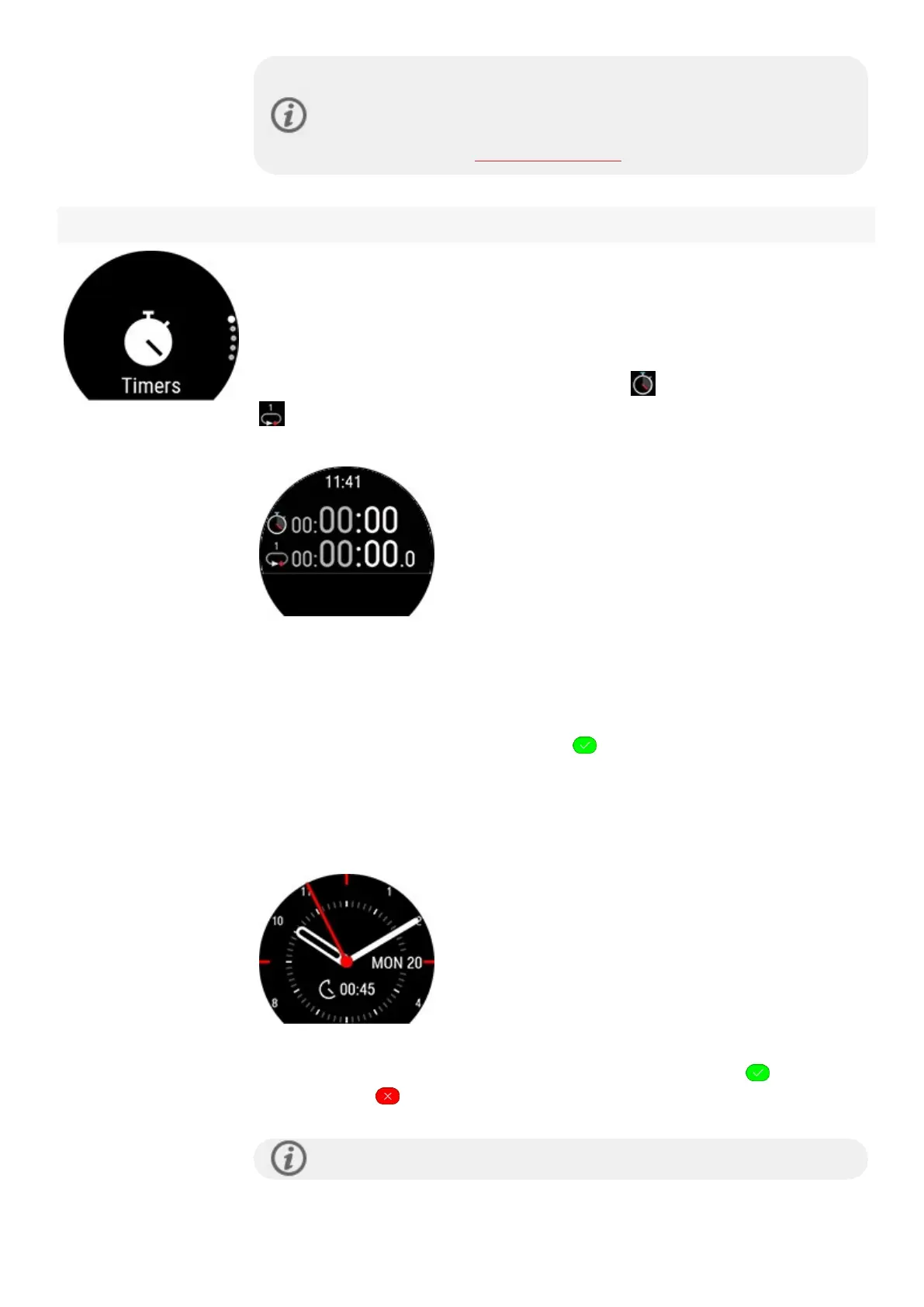
Timers
In Timers you'll find a stopwatch and a countdown timer.
Stopwatch
To start the stopwatch, tap first Stopwatch and then . To add a lap, tap the lap icon
. To pause the stopwatch, press BACK.
Countdown Timer
You can set the countdown timer to count down from a preset time. Tap on Set
Timer, and set the countdown time, and tap to confirm. When completed, tap
Start to start the countdown timer.
The countdown timer is added to the basic watch face.
At the end of the countdown, the watch notifies you by vibrating. Tap to restart
the timer, or tap to cancel and return to the time view.
During training you can use interval timer and countdown timer. Add the



 To Next Page