78
Channel storage and delete
Channel Storage.
UnderVFOmode,inputdesiredfrequencybykeypaddirectlyorselectoneby
pressing / ], and then press + , the digits are at the right top of LCD,
press number to input desired channel directly or press / , to choose de-
sired one, then press for storage.
Note: after you input desired channel number, if it blinks, it means that this
channel is already occupied, you can choose another one.
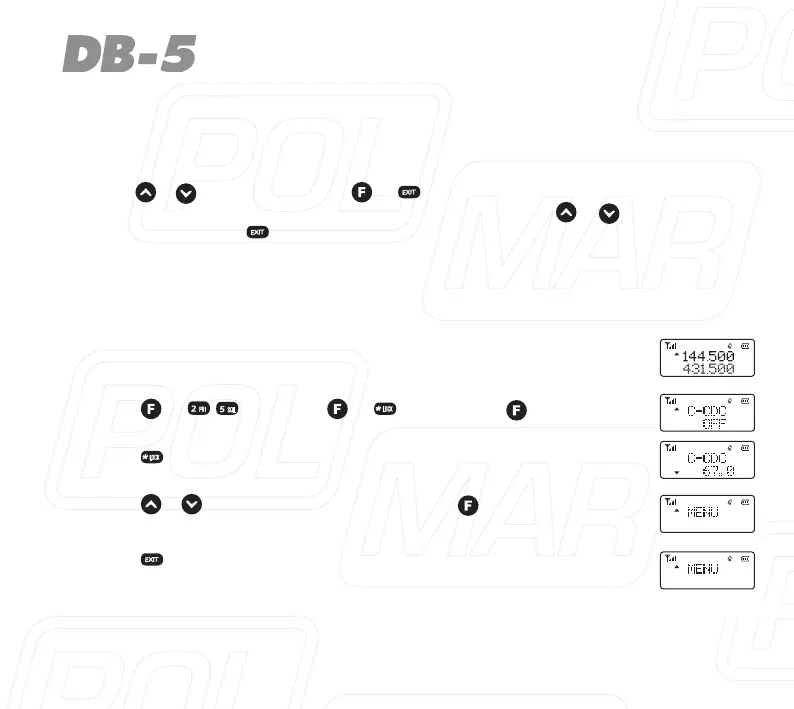
E.g.:tostorethefrequency:144,500MHzwithCTCSS:151.4tothechannel05,
the step are as follows.
1. UnderVFOmode,input1-4-4-5-0-0.
2. Press + , or press + , then press to enter.
3. Press tochooseCTCSSmode,LCDdisplaysC-CDC67.0.
4. Press / to choose 154.1, then press toconrm.
5. Press twice to exit.



 To Next Page