EasyManua.ls Logo

Poly TC8 - User Manual

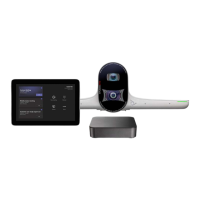
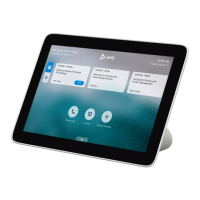
Poly TC8
37 pages
Print Icon
To Next Page IconTo Next Page
Loading...
Poly TC8 User Guide 6.0.0
SUMMARY
This guide provides end-users with task-based user information for the featured product.

Table of Contents

Other manuals for Poly TC8

Questions and Answers

  • J
    jonestaylorJul 28, 2025
    What to do if Poly TC8 Can’t Pair to the Video System?
    • A
      amanda24Jul 29, 2025
      If your Poly TC8 can't pair to the video system, it might be due to blocked network traffic on TCP port 18888. To resolve this, allow traffic on TCP port 18888.
  • K
    Kathleen KaneAug 4, 2025
    Why Zero Touch Onboarding Connection Fails During Initial Setup or After Reset on Poly TC8?
    • V
      vicki83Aug 5, 2025
      If the Zero Touch Onboarding connection fails during initial setup or after a reset, the system might not be able to communicate with the ZTO service because of a firewall and/or web proxy setting. Configure your firewall and/or web proxy, so that the system can communicate with the ZTO service.
  • Y
    ygregoryAug 12, 2025
    How to fix Paired IP Audio Device Disconnection from G7500 Poly TC8 Conference System?
    • J
      James CopelandAug 13, 2025
      To fix a paired IP audio device that is disconnected from the G7500, reconnect cables or factory restore your hardware.
  • V
    Victoria LamAug 20, 2025
    What to do if Poly TC8 Doesn’t Display On the Available Devices List?
    • D
      Dustin AllenAug 20, 2025
      If your Poly TC8 doesn’t display on the available devices list, there are a few potential causes: * The device and video system might not be on the same subnet. Ensure they are on the same subnet. * The network switch might not be allowing UDP broadcast traffic forwarded to multicast address 224.0.0.200 on port 2000. Allow traffic to 224.0.0.200 on UDP port 2000. * The device might be paired with another video system. Ensure the device isn’t paired with another video system; if it is, unpair it.

Summary

Getting Started

Poly TC8 Overview

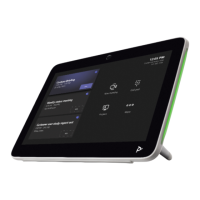
Provides a general overview of the Poly TC8 device and its core capabilities.

Setting Up the Poly TC8

Powering Poly TC8 with PoE

Instructions on powering the Poly TC8 device using Power over Ethernet (PoE).

Powering Poly TC8 with PoE Injector

Guide on powering the Poly TC8 device using an external PoE injector.

Initial Poly TC8 Setup and Pairing

Steps to set up the Poly TC8 for the first time and pair it with a system.

Configuring Network Settings

Manually Configure IPv6 Address Settings

Steps to manually configure IPv6 address settings for the Poly TC8 device.

Assign Host Name and Domain Name

How to manually assign a host name and domain name to the TC8 device.

Manually Configure DNS Settings

Instructions for manually configuring DNS server addresses for the Poly TC8.

Manually Pair Poly TC8 with Video System

Steps to manually pair the Poly TC8 device with a video conferencing system.

Using the Poly TC8 in Poly Video Mode

Placing Calls on Poly TC8

Instructions on how to initiate audio, video, and meeting calls using the Poly TC8.

Managing Shared Content and Snapshots

How to minimize, maximize, and delete shared content or snapshots.

Poly TC8 Camera Controls

Adjusting in-room and far-site cameras, and managing camera tracking.

Using the Poly TC8 Touch Controller in Partner Modes

Device Maintenance

Factory Resetting the Poly TC8 Device

Instructions for performing a factory reset on the Poly TC8 device.

Factory Restore via Poly TC8 UI

Restoring Poly TC8 to default settings via the device's user interface.

Troubleshooting

Troubleshooting: IP Device Cannot Pair

Steps to resolve issues when the Poly TC8 cannot pair with the video system.

Troubleshooting: IP Device Not Displaying

Steps to resolve issues when the TC8 device is not shown in the available devices list.

Troubleshooting: Paired IP Device Disconnected

Steps to resolve issues when a paired Poly TC8 device shows as disconnected.

Troubleshooting: IP Device Paired to Inaccessible System

How to unpair the TC8 from an inaccessible video system.

Poly TC8 Specifications

General IconGeneral
Display8-inch touch screen
Resolution1280 x 800
ConnectivityWi-Fi
Ports1 x USB-C, 1 x 3.5mm Audio Jack
PowerIEEE 802.3af PoE
Operating SystemAndroid

Related product manuals