ZONEMASTER ZONETOUCH V2 ZONE CONTROL SYSTEM - Installation Manual
9
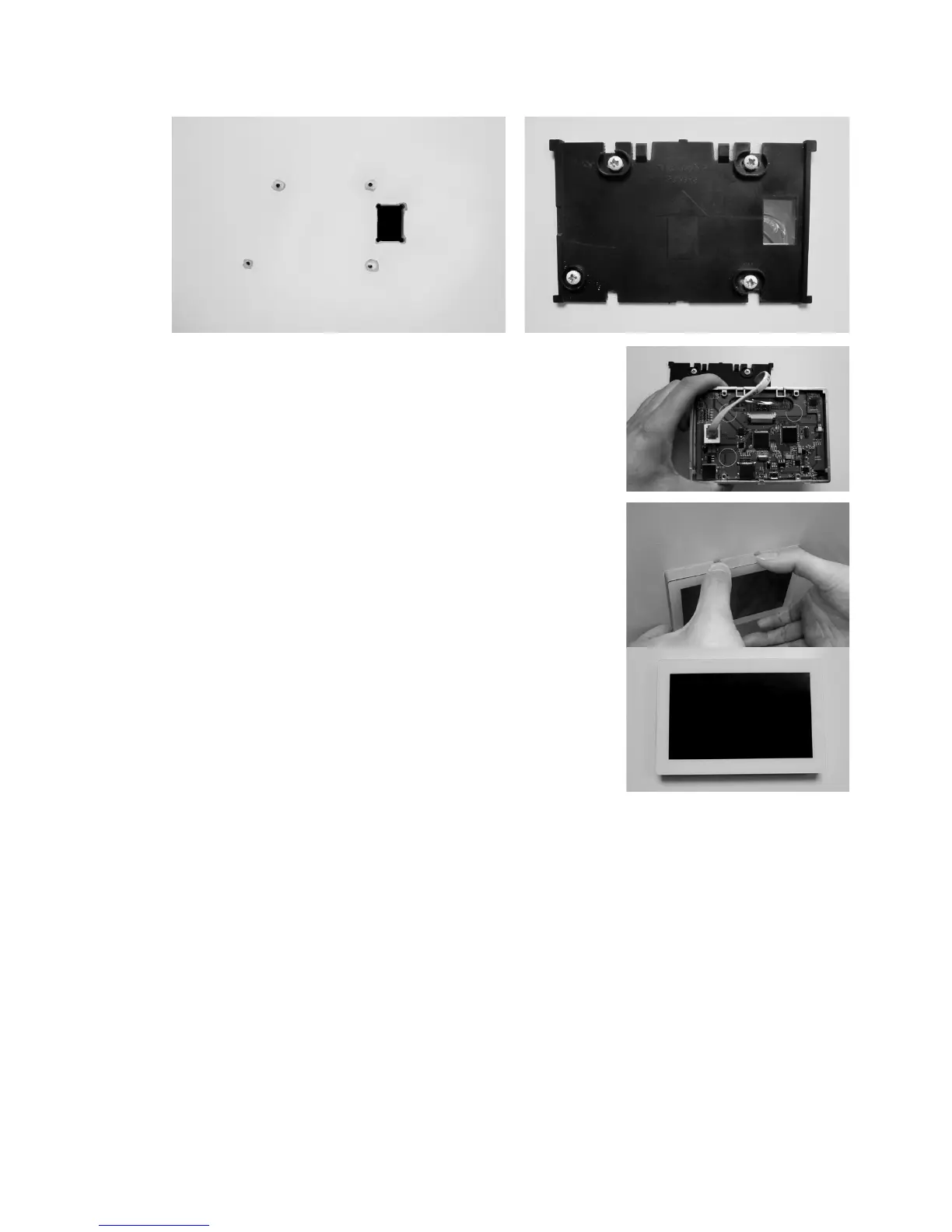
d) Cut therectangularholeforthecableandxthebackbasetothewallby
usingfourscrewsonthemarkedpositions.
e) Retrieve thetouchscreencable(frommain
control module) out of the cable hole and plug it
into the touch screen.
f) Alignthebottomedgeofthebackbasewiththe
bottominsideofthefrontcoverandthetwoside
edgesofthebackbasewiththefrontcover.
g) Gentlypushthefrontcoveragainstthewalland
makesurethebackoffrontcoverisushagainst
thewall.Andthenpushthefrontcover
downwardswithtwoguresholdingthetopside
ofthefrontcoverwheretherearetwoslotstill
thetwosnap-onsclickin.



 To Next Page