960 Stewart Drive Sunnyvale, CA 94085 USA Phone +1.408.331.3300 +1.877.80SHORE Fax +1.408.331.3333 www.ShoreTel.com
- 10 -
Call Control Settings
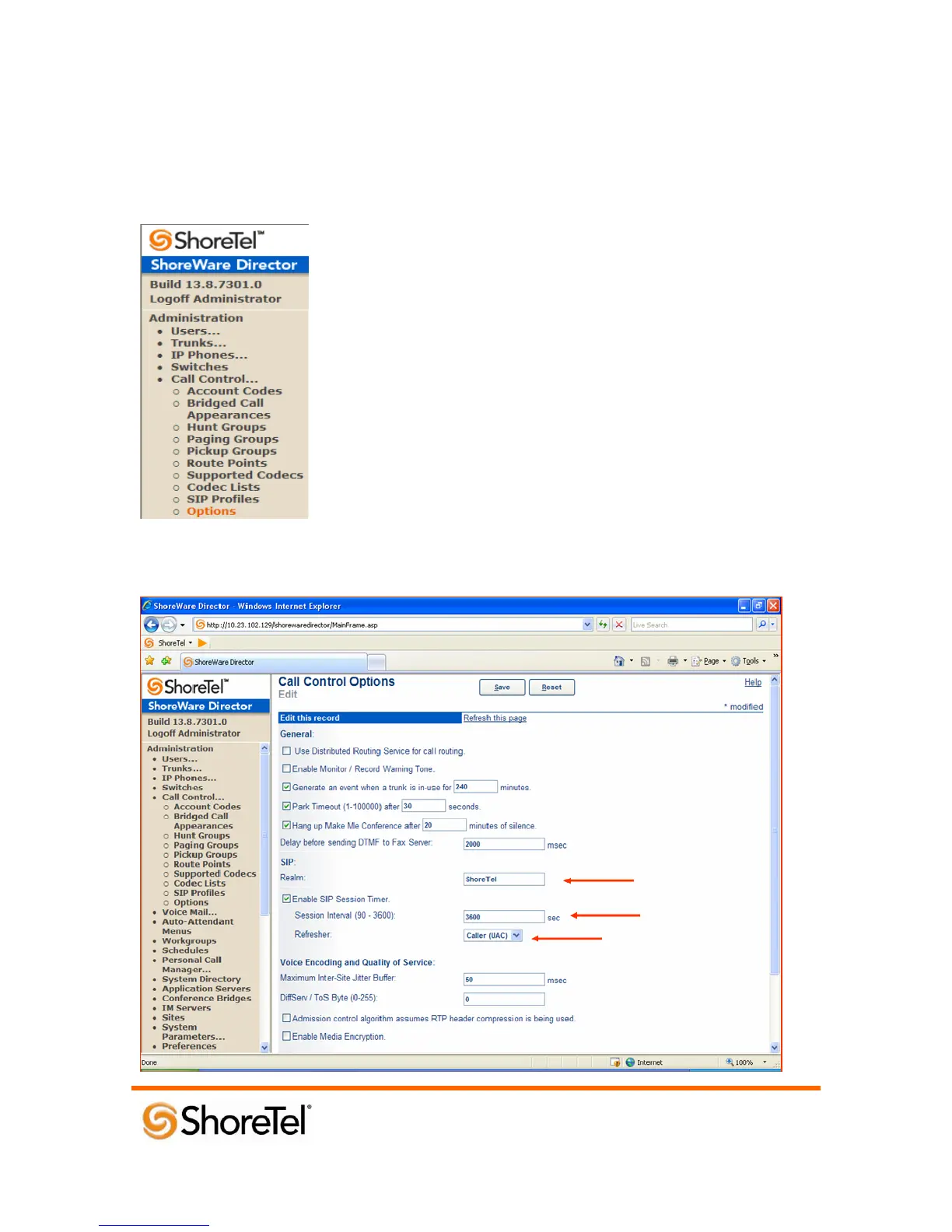
The Call Control Options within ShoreWare® Director may need to be reconfigured. To configure
these settings for the ShoreTel system, log into ShoreWare Director and select Administration, Call
Control, and then Options (Figure 2).
Figure 2 – Administration Call Control/Options
The “Call Control/Options” screen will then appear (Figure 3).


 To Next Page
 Loading...