Using the Basic Features of Your Phone
3 - 43
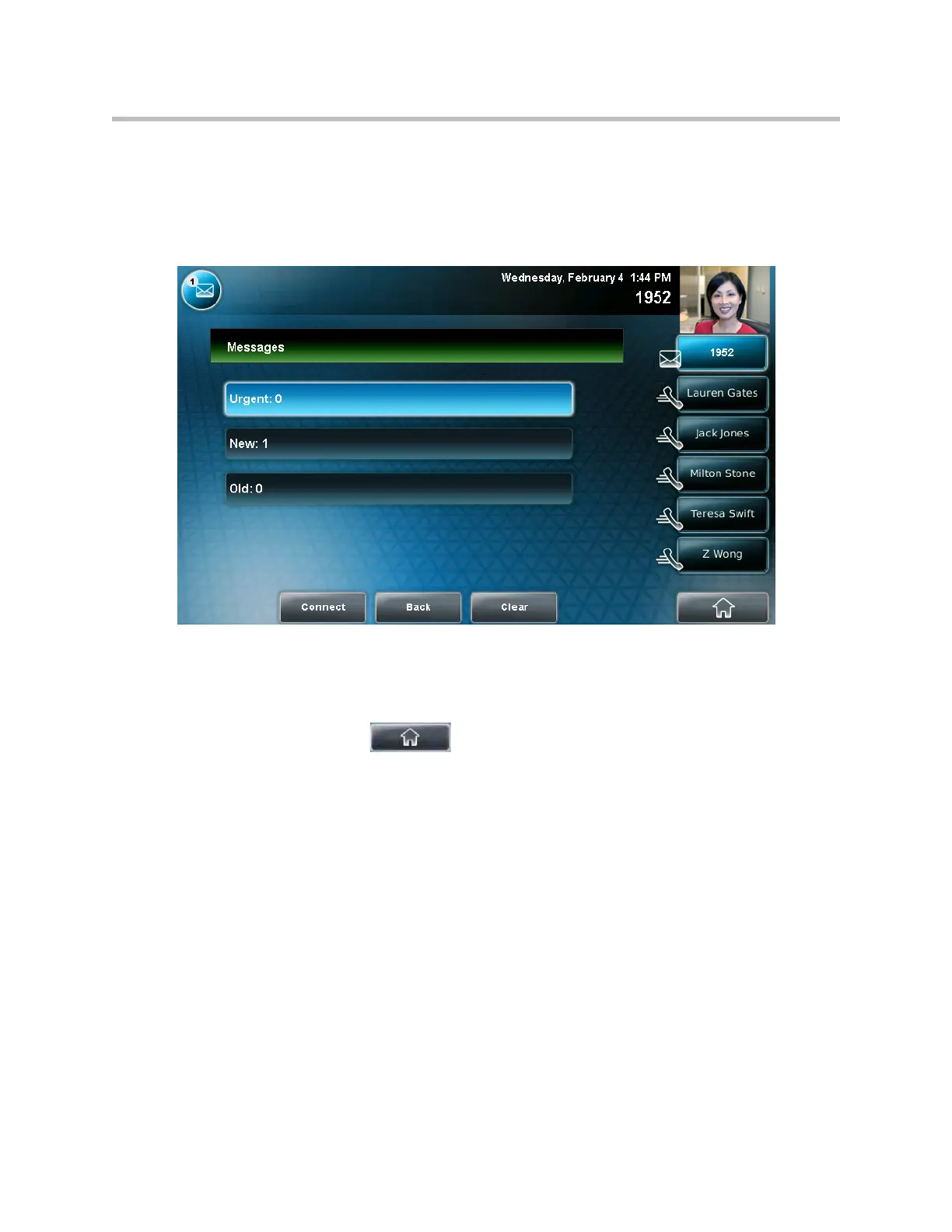
The Messages screen displays.
(If multiple lines are set up on your phone, the Line Select screen displays
instead, and you have to tap the line for which to listen to messages. Then,
the Messages screen displays.)
2. To access your mail, tap the Connect soft key, and then follow the voice
or visual prompts on the screen.
To clear the message counters, tap the Clear soft key.
3. Tap to return to the idle screen.



 To Next Page