User Guide for the Polycom VVX 1500 Phone
4 - 6
To send an instant message:
1. Do one of the following:
— Tap > Instant Messages.
— Tap > Features > Messages > Instant Messages.
— Press , and then tap Instant Messages.
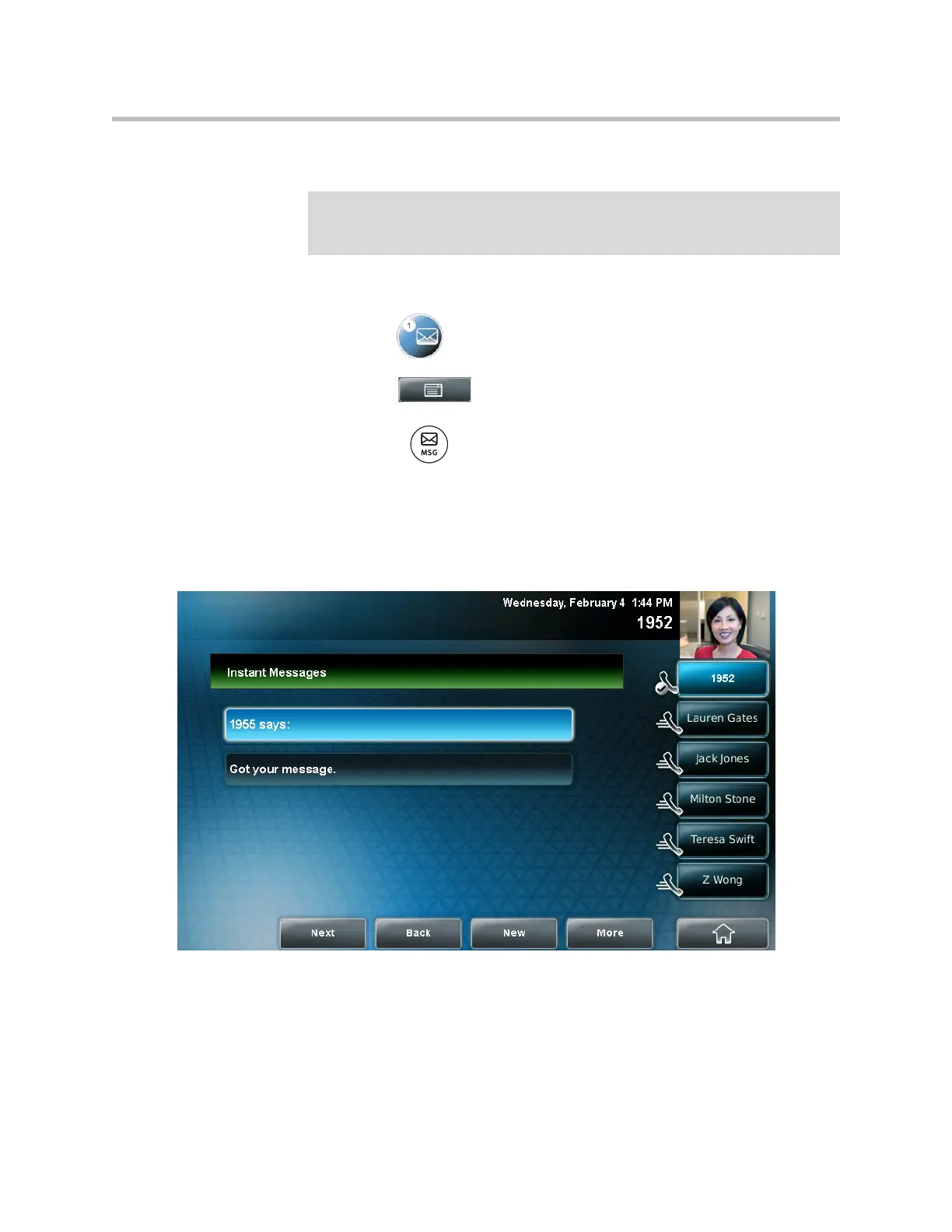
The Instant Messages screen displays.
(If multiple lines are configured on your phone, the Line Select screen
displays instead, and you have to select the line to send the message from.
Then, the Instant Messages screen displays.)
Note
Screen options may vary with your application. Instant messaging may be
accessible with a single key press. Contact your system administrator about this
option.



 To Next Page