Transferring Calls
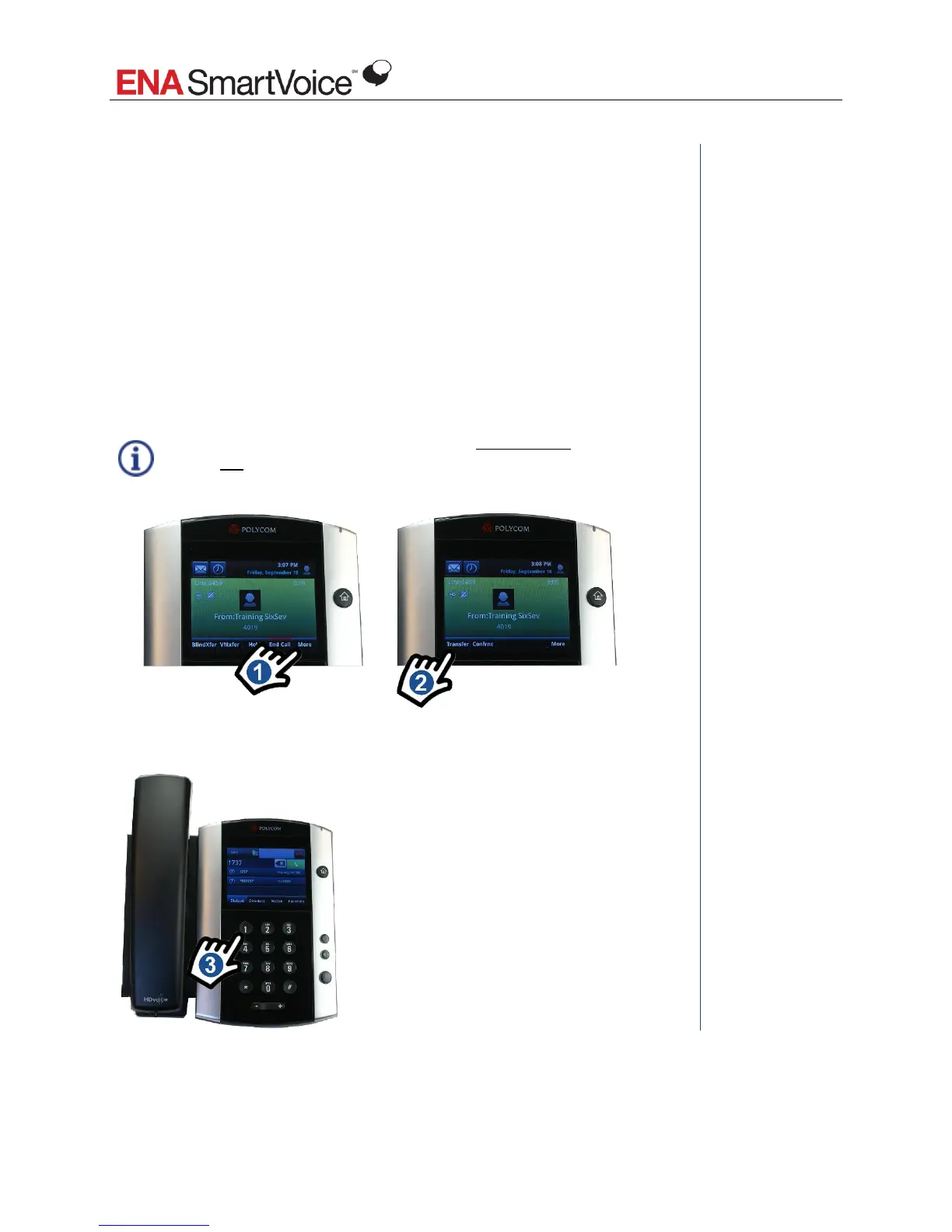
How do I transfer a call if I want to talk to the recipient before I send
the caller through (Consultative transfer)?
Sometimes, you want to talk to the transfer recipient before sending the caller
through. For example, you may want to let the recipient know who the caller is,
give the recipient some background information, check and see if the recipient is
available to take the call, etc.
In these cases, you use a Consultative transfer.
1. Tap More.
2. Tap Transfer.
When you tap Transfer, the original caller is automatically placed on hold.
You do not have to manually place the caller in hold.







 To Next Page