Polycom VVX 500 and VVX 600 Business Media Phones and Polycom VVX Camera User’s Guide
Polycom, Inc. 65
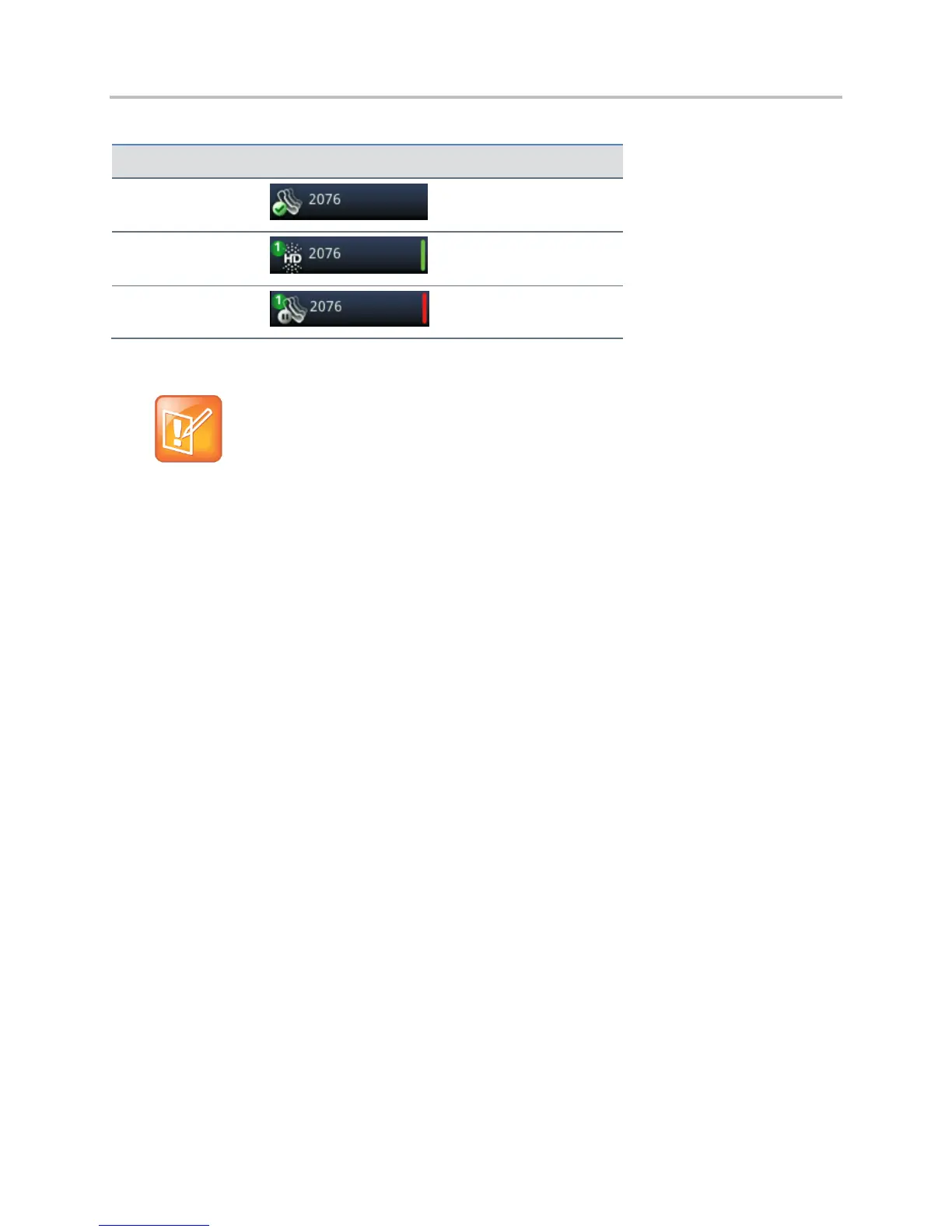
Table 6: Icons and Status Indicators for Shared Lines
Icon and Status Indicator
Note: Unsupported Features on Shared Lines
Call Forwarding is not available on shared lines.
Enabling Do Not Disturb on shared lines disables ringing only. You’ll still see a visual notification of
the call and have the option to answer the call.
If you are running Polycom UC Software 5.0.0, and you have an incoming call on a shared line, which
none of the phones answer, the call displays in the missed calls log on all the phones. If you have an
incoming call on a shared line and you or any of the other phones answer the call, the call is not logged
as missed on any phone. Your Administrator can configure the phones so that if you have an incoming
call on a shared line and one phone answers, the other phones log the call as a received call. That way, if
another phone on a shared line answers an incoming call, you can still from your phone’s call log, that
you did not answer the call.





 To Next Page