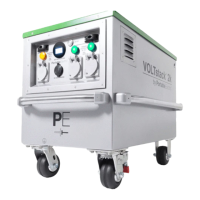
GETTING STARTED
Pre-Operation Check
Before starting your VOLTstack, perform a pre-operation check to avoid any potential issues during use.
• Ensure Air Intakes and Rear Vents are clear from debris
• Ensure unit is in upright position during usage
• Ensure proper grounding of the Grounding Lug
• Ensure device power rating is within the maximum power output of the VOLTstack displayed on the nameplate
Recharging
When the State of Charge of your VOLTstack reaches 0%, it will need to be recharged. Before using your VOLTstack, it is
recommended to plan out your recharging method. Recharging can be done from either an AC power source or from a
SUNstack solar product. For fastest recharge rates, AC charging is recommended.
Turning Power On
1. Complete Pre-Operation check
2. Turn unit from O to Standby
a.From the Rear Plate, lift the covers on both of the Master Battery On/O buttons.
b.Press both of the buttons beneath and the blue button lights will illuminate.
3. Turn unit from Standby to Power On
a.From the Face Plate, press the On/O Button. The blue light will illuminate.
b.You will hear two beeps and after 6 seconds the two green Output Lights will illuminate. You now have power!
Turning Power O
1. Turn unit from Power On to Standby
a.Turn o and unplug devices being powered.
b.From the Face Plate, press the On/O Button. This will cut power to the Output Receptacles and the green
Output Lights will turn o.
2. Turn unit from Standby to O
a.From the Rear Plate, lift the covers on both of the Master Battery On/O buttons.
b.Press both of the buttons beneath and the blue button lights will turn o.
Version 1.0 September 2019
16


 To Next Page