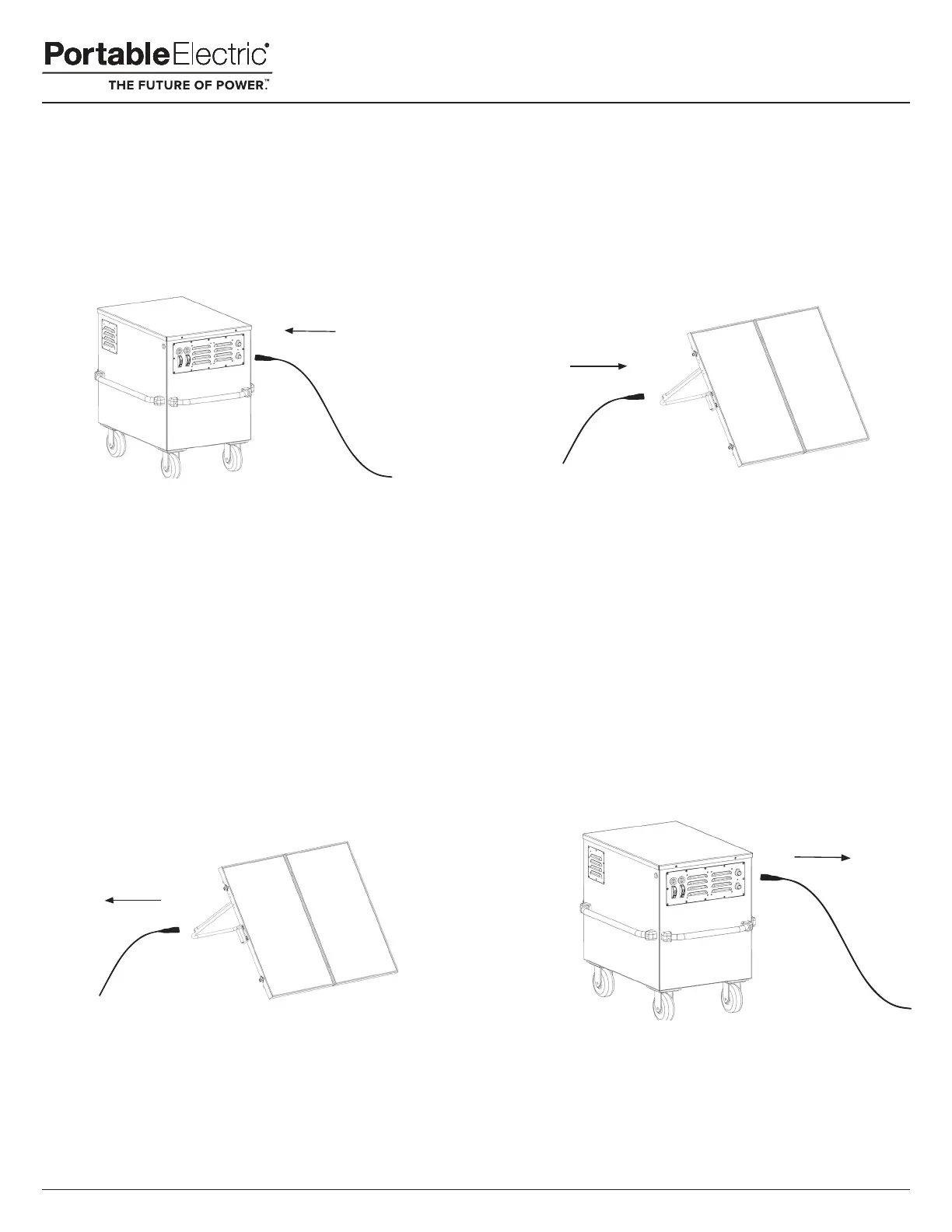
3.The Battery Monitor will indicate charging.
Getting Started
1.From Standby or Power On mode, connect a SUNstack
Cable into Solar Charging Port SOL 1 and/or SOL2.
Step 1
2.Connect the opposite end of the SUNstack
Cable into a SUNstack Solar Panel.
Step 2
Charging Complete
1.Disconnect the SUNstack Cable from the SUNstack Solar Panel.
Step 1
2.Disconnect the SUNstack Cable from the VOLTstack.
Step 2
3.The Battery Monitor will no longer indicate charging.
Do not connect third party solar panels to the VOLTstack unit, this could cause damage to the VOLTstack and void your warranty.
Version 1.0 September 2019
22



 To Next Page