TROUBLESHOOTING
1. IMPORTANT – Initial Troubleshooting Procedure:
• Ensure all breakers are in the ON position.
• Perform a Power Cycle:
•From Standby mode, turn the unit to O mode (see Getting Started).
•Wait 10 seconds.
•Turn the unit back to Standby and then to Power On.
2. There is no power at the Output Receptacles.
• See Step 1.
• If there is still no power, please call the service provider.
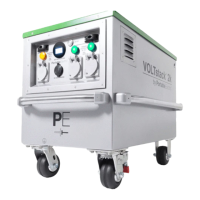
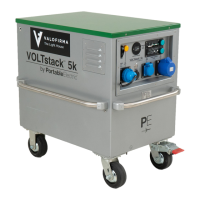
3. The green Output Light(s) do not illuminate.
• Complete Step 1, then check for power at the Output Receptacle.
•If there is power, it is an issue with the Output Light. The unit is still operational. Please call
your service provider.
•If there is no power, there is an issue with unit. Please call your service provider.
4. The unit is not charging.
• See Step 1.
• If the unit still does not charge, see Step 5.
5. The orange Charging Light(s) do not illuminate.
• Check input power source and connection.
• If the unit still does not charge, please call the service provider.
6. The unit’s charge does not last as long as normal.
• Ensure that the blue Master Battery On/O lights are illuminated.
• Charge the unit back to full.
• If the unit’s charge still does not last, please call the service provider.
IMPORTANT
This Equivalency Certificate only applies to air transportation from each state of origin.
WARNING
Do not ship VOLTstacks on passenger aircraft, ship on cargo aircraft only.
Version 1.0 September 2019
36


 To Next Page