
EasyManua.ls Logo

Postek G2000 - User Manual

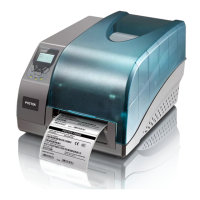
Postek G2000
42 pages
Print Icon
To Next Page IconTo Next Page
Loading...

Questions and Answers

  • J
    juliadawsonAug 7, 2025
    Why is my Postek Printer printing poorly?
    • J
      James CollinsAug 7, 2025
      Poor printing quality on your Postek Printer may be due to several factors: * Adjust the print darkness and speed settings in the driver under the Printing Preferences/Options Tab. * Clean the Printhead and the platen roller. * The ribbon or media quality might be low. Try using a higher quality ribbon or media.
  • J
    Jesse HessAug 11, 2025
    What to do if READY and MEDIA Lamps blink simultaneously on Postek G2000?
    • C
      carlperezAug 11, 2025
      If the READY and MEDIA lamps are blinking simultaneously on your Postek Printer, it could be due to several reasons: * The media sensor may not be detecting labels. Check if the media has been loaded correctly, the position of the media sensor, and calibrate the media sensor. If using continuous media, ensure the correct Media Type settings are chosen in the label software. * The media roll may have run out. Load a new roll of media. * There might be a media jam. Clear the jam. * The Media Roll Guides may not be positioned firmly against the media or have not been installed. Install the Media Roll Guides correctly and press them firmly against the media.
  • A
    Abigail DayAug 15, 2025
    What does it mean when READY and RIBBON Lamps blink simultaneously on Postek Printer?
    • R
      rosetaylorAug 15, 2025
      If the READY and RIBBON lamps are blinking simultaneously on your Postek Printer, it usually indicates: * The ribbon has run out. Replace the ribbon with a new roll. * There is a ribbon jam. Clear the ribbon jam.
  • B
    Barbara ShieldsAug 20, 2025
    What to do if my Postek G2000 Printer has a timeout error?
    • R
      Richard KellyAug 20, 2025
      To resolve a timeout error with your Postek printer: * Check the interface cable for a secure connection. * Ensure that the printer is powered on.
  • M
    Margaret MendozaAug 25, 2025
    What to do if I sent data to my Postek G2000 but it is not printing?
    • C
      Craig MooreAug 25, 2025
      If you've sent data to your Postek Printer and it's not printing: * Make sure that the correct driver is selected in the label software. * Reset the printer.
  • K
    Kimberly MurphyAug 28, 2025
    How to fix vertical blank lines on Postek G2000 output?
    • P
      peter16Aug 28, 2025
      If you're seeing vertical blank lines on your Postek Printer output, it might be because the Printhead is dirty. Clean the Printhead following the recommended maintenance guidelines.
  • K
    Kenneth SanchezSep 1, 2025
    Why is only READY Lamp blinking on my Postek Printer?
    • M
      Michael RiversSep 2, 2025
      If only the READY lamp is blinking on your Postek Printer, it may indicate: * A serial I/O error. Check the DIP switches for the baud rate settings. * Memory overflow. Try restarting the printer or resetting the printer.

Postek G2000 Specifications

General IconGeneral
Print MethodThermal Transfer / Direct Thermal
Memory8MB Flash
Media TypeRoll, Fanfold, Tag
Processor32-bit RISC
InterfacesUSB, Serial
Power SourceAC 100-240V, 50/60Hz
Communication InterfaceUSB, Serial
Operating Temperature5°C - 40°C (41°F - 104°F)
Media Width25.4 mm - 108 mm (1 inch - 4.25 inches)
Media Thickness0.06 mm - 0.19 mm (0.0024 inch - 0.0075 inch)
Storage Temperature-20°C - 60°C (-4°F - 140°F)

Related product manuals