G2000/G3000/G6000 Industrial User’s Manual Chapter 3: Operations and Settings
27
Reset – Reset the Printer to the Factory Default Settings
1. Press and hold the Cancel/ Reset button for 2 seconds, the three lamps will blink simultaneously (the printer will return
to normal state automatically if no operations are performed within 2 seconds).
2. Release and press the Cancel/
Reset button again.
3. The three indicators stop blinking and remain lit. The printer is now in its normal state.
The following parameters have automatically been reset:
- Label
- Print darkness
- Speed
- Others
Note: The printed label count and printed length may not be reset.
LCD Panel Operation
LCD can display printer status, printed label quantity, error messages, and can also assist in configuring the printer.
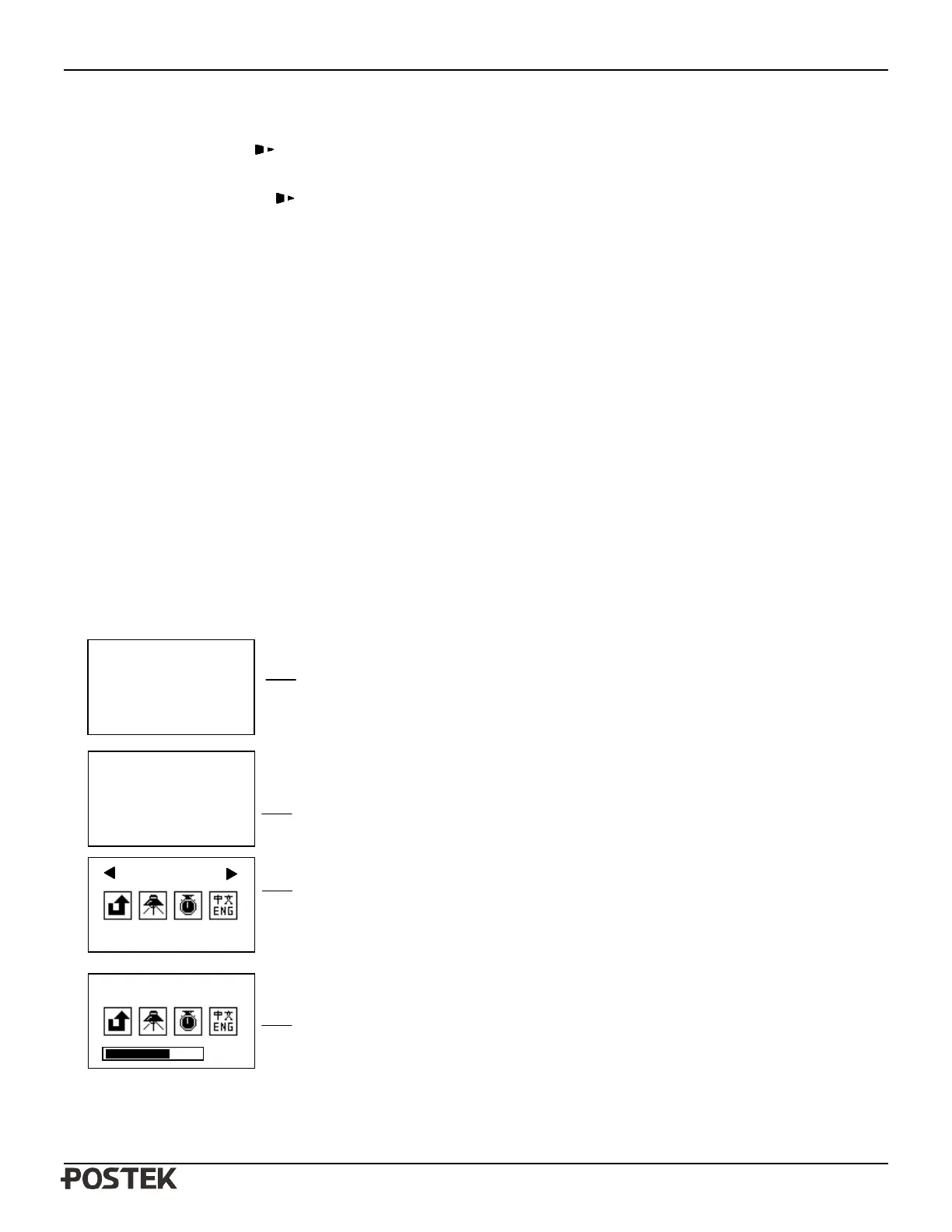
1. Examples of LCD display
In normal printing mode, display only
XXXXXXXX as total number of pages
printed. In copy printing mode, display
YYY/XXXXXXXX.
Total = number of pages printed.
Version: firmware version
Note: when the printer is powered
off, the counter reverts to 0.
The first row shows the variable selected.
Some items include a progress bar.
12 - Indicates the current setting value of 12
The first row shows the variable selected.
01/32 indicates a total of 32 settings with
the 1st item now selected.
Ready [600DPI]
Total: 888
Version: 1.50
Pause
1 \ 888
Version: 1.50
XXXX
01/32


 To Next Page