G2000/G3000/G6000 Industrial User’s Manual Chapter 2: Setup and Use
20
Cutting Mode
Note: Operating the printer in Cutting mode requires the optional Rotary Cutter kit.
1. Turn on the printer and wait until the screen shows Ready.
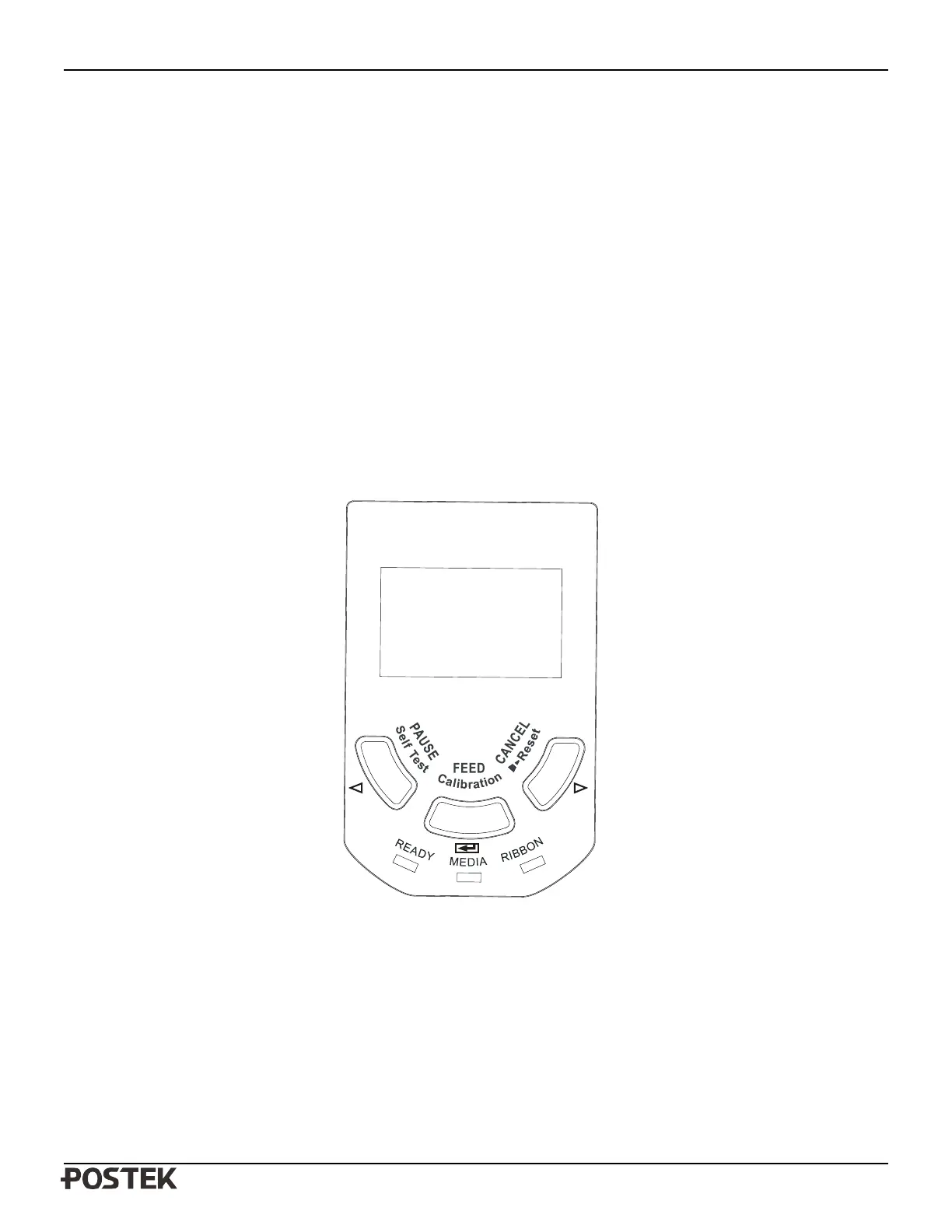
2. Press the Pause button to set the printer to the Pause status, press and hold the Feed button for about 2 seconds,
and the printer will enter Setup mode.
3. Enable the cutter mode.
4. Reset the printer and cutter: Press and hold the “Cancel” button for 2 seconds, until the 3 indicator lamps
begin to blink simultaneously. Release the “Cancel” button and press it again one more time. The 3 indicator
lamps stop blinking and remain lit. Reset is complete.
5. Load media as shown in Figure 6-6. The Rotary Cutter is now ready to use.
Figure 6-5


 To Next Page