- 38 -
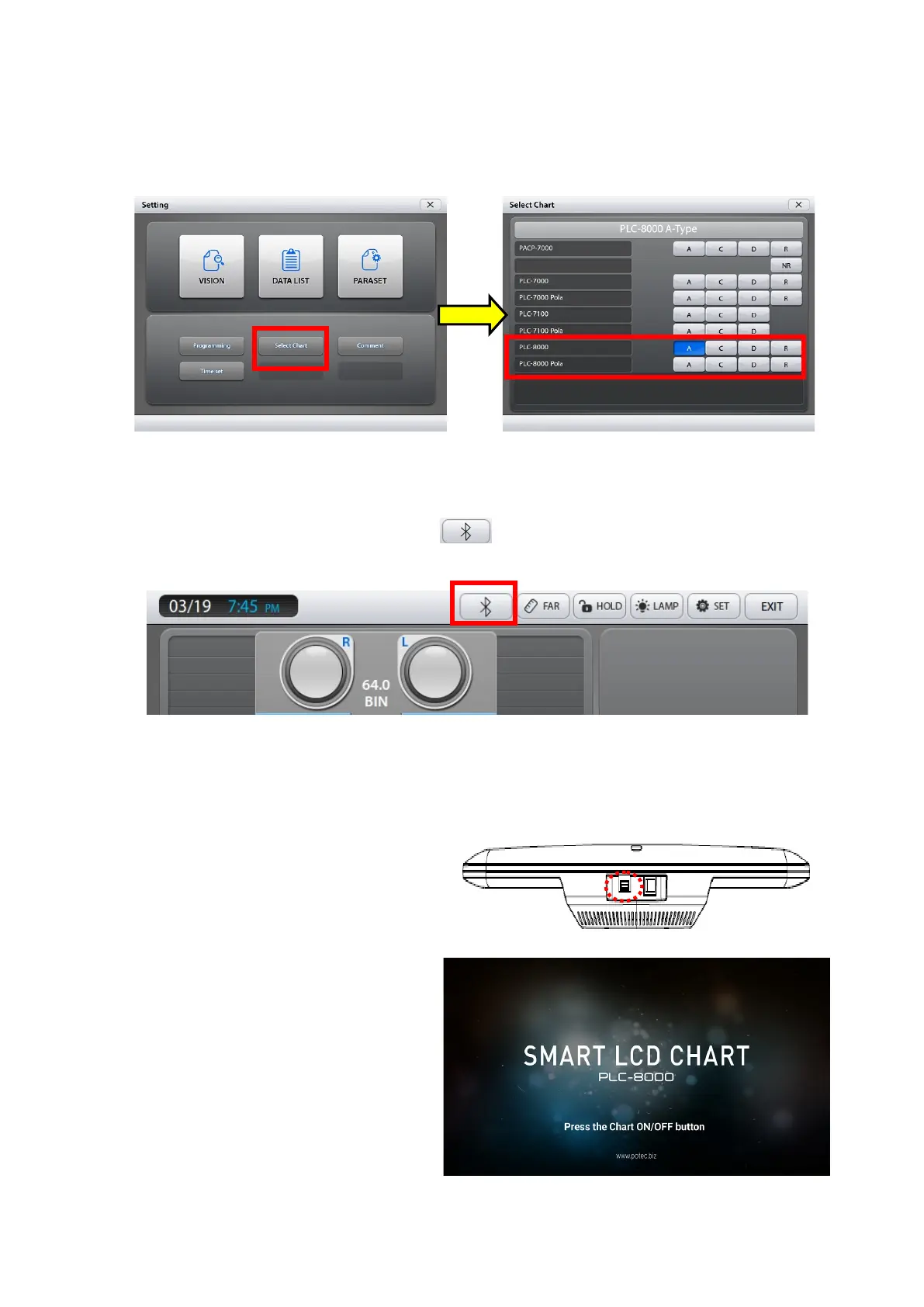
Turn on power of PDR-7000. When the PDR-7000 has finished booting, press the
Menu button on the right side of the control panel keyboard to go to the Setting menu
(Figure 3).
Touch the Select Chart to go to the Select Chart menu (Figure 4).
Figure 3 Figure 4
Select PLC-8000, PLC-8000 Pola and chart type (A, C, D, R) according to the
product you are using.(Figure 4) and touch 'X' then PDR-7000 will restart the
program to apply the setting.
Make sure that the Bluetooth menu ( ) is displayed at the top of the PDR-7000
screen (Figure 5).
Figure 5
Settings for PLC-8000(pola) are the following.
(1)
Insert Bluetooth dongle into USB hub at the
bottom of PLC8000 to pair with wireless
Mouse and turn on power.
(2)
Press “on/off button” of remote controller on
start-up screen.



 To Next Page