- 39 -
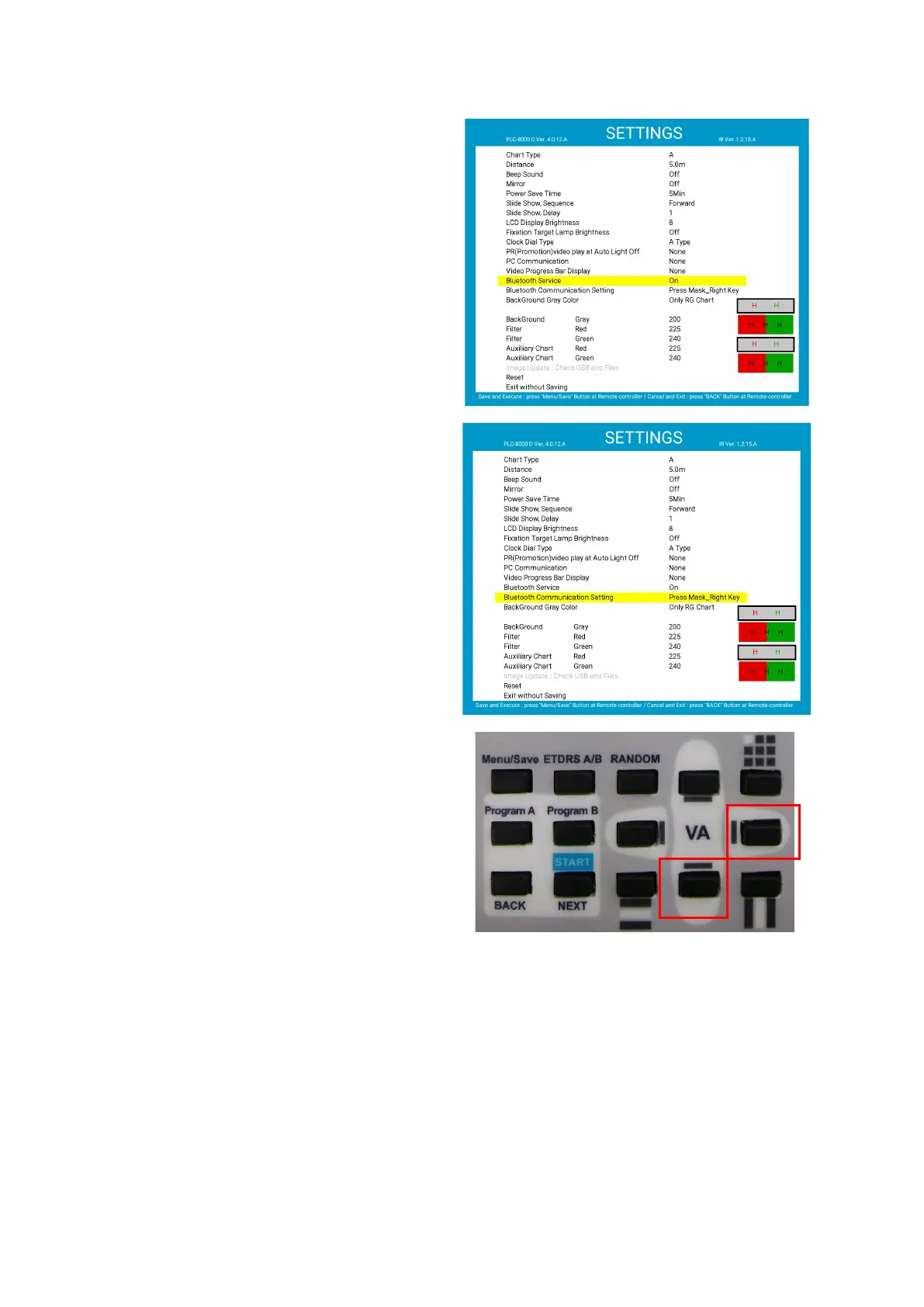
(3) Press menu button to access settings.
Change the Bluetooth service item to On.
Press the menu button again to save and exit
the SETTINGS screen. After that, reboot.
(4) When the device turns on again, Press menu
button to access settings.
(5) Press downward button to move the cursor to
“Bluetooth Communication Setting” and press
the right button to change settings. (Unable to
change without dongle)



 To Next Page