- 40 -
(6)
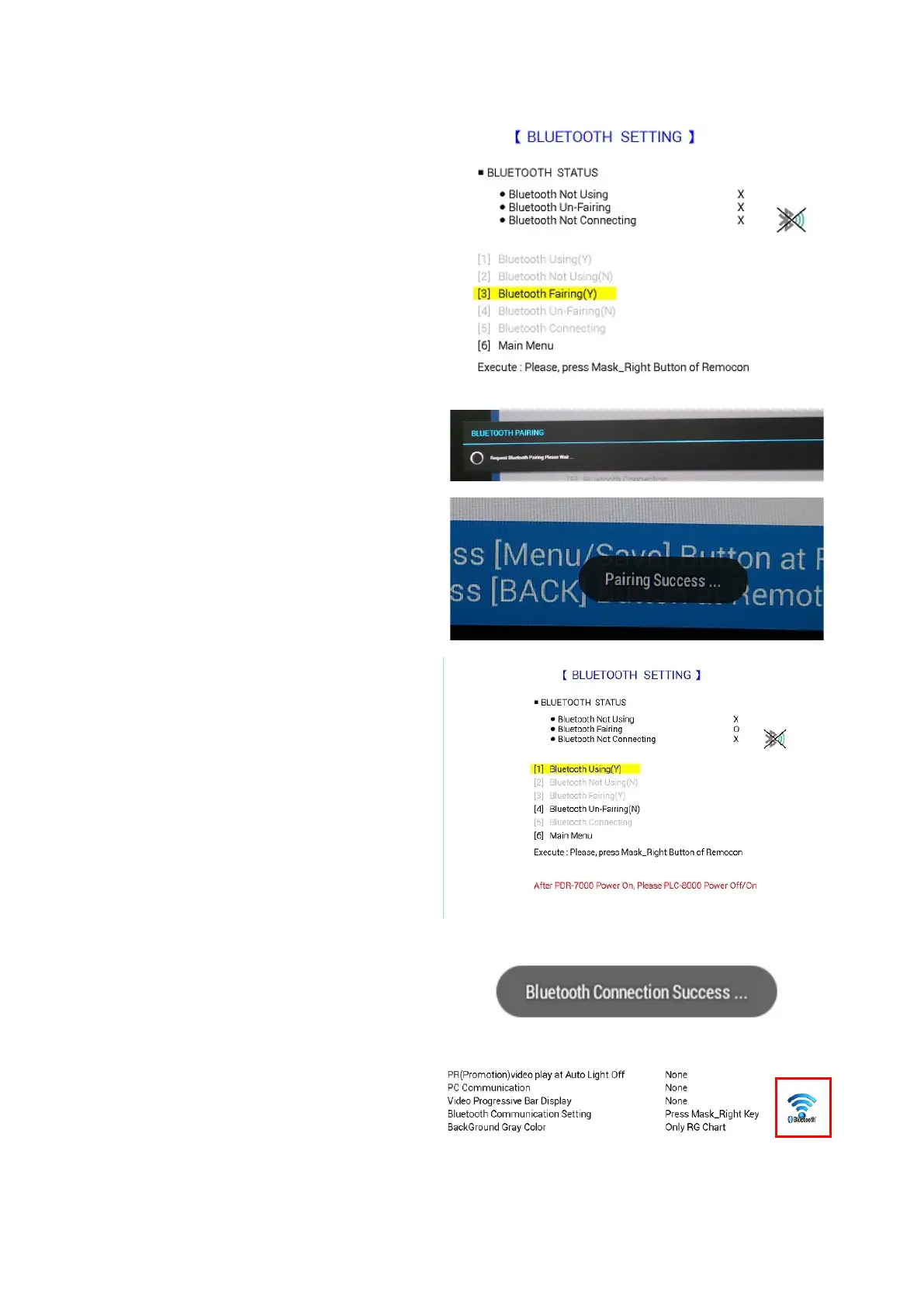
[BLUETOOTH SETTING] press the right
button to choose [3] Bluetooth pairing.
(7) PLC-8000(pola) attempt pairing with PDR-
7000.
(8)
When pairing is completed “Pairing
Success…” message appears for 3 seconds
and disappears.
(9)
[BLUETOOTH SETTING] Press the right
button to choose [1] Bluetooth Using (y).
(10) After paring devices is completed, it exit
Landolt Ring with a message '
Connection Success…'
(11) Press menu button to acc
make sure B
luetooth is functioning properly.
The icon in the right picture indicates that
pairing is successfully done.



 To Next Page