- 44 -
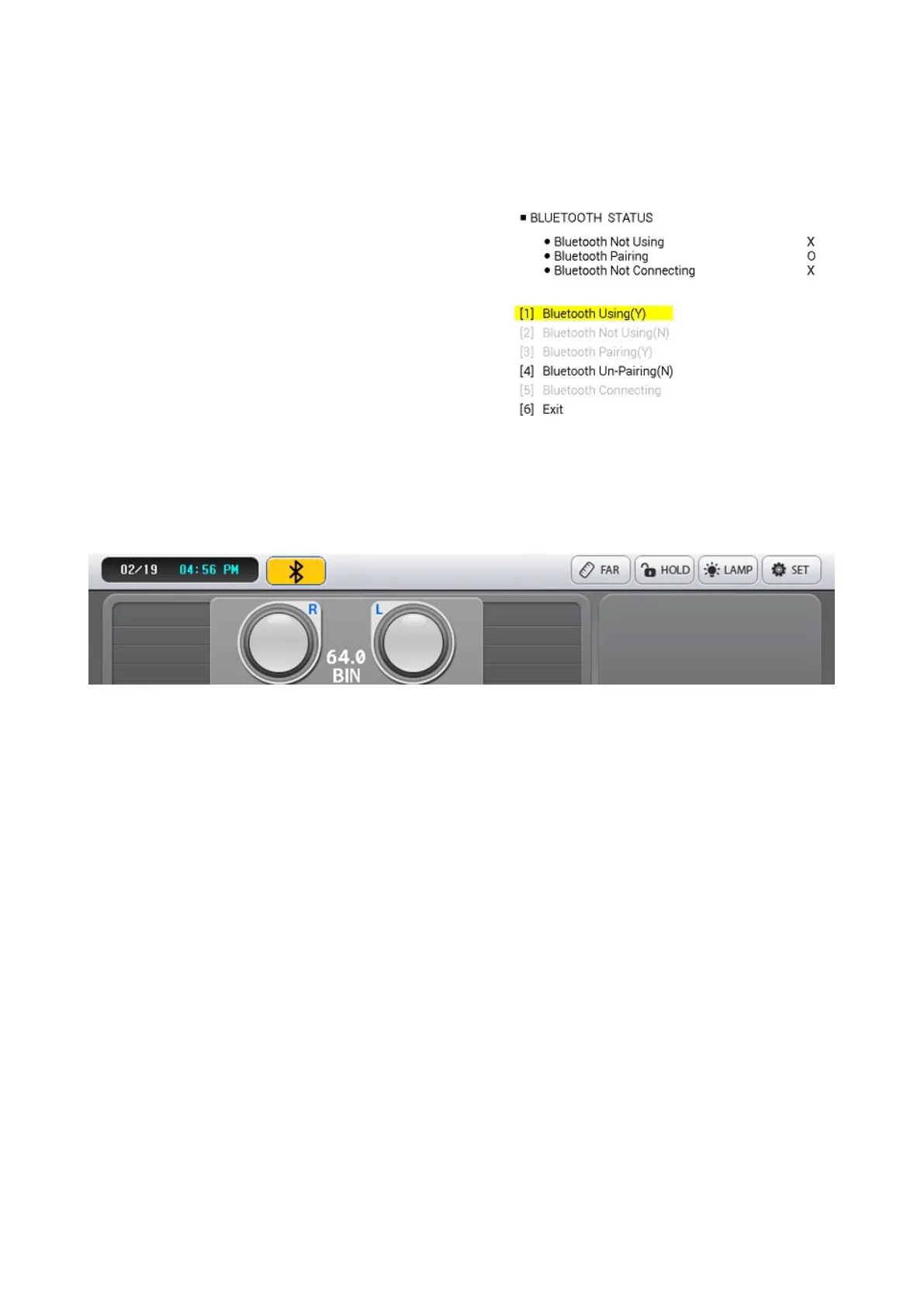
(9) After completing pairing, select [1] Bluetooth
Using (right button). Wait a few seconds and the
message 'Bluetooth Connection Success' will be
displayed.
(10) In 'Bluetooth using (Y)' step, the Bluetooth
communication status is unstable and connection
may fail.
In this case
PDR-7000: Go to Paraset page 7. Bluetooth
Initialization Execution.
PLC-8000(pola): Select '[4] Bluetooth Un-Pairing
(N)' '[2] Bluetooth Not Using(N)'
After resetting the settings in order, need to
reboot the device and start again from Step 1.
(11) Select chart with PDR-7000 to check
communication.
Bluetooth connection completed.
If the Bluetooth is connected normally, the color of the Bluetooth icon in the upper left
corner changes as shown in the picture above to enable wireless. Bluetooth Not
connected Bluetooth, select [4] Bluetooth Un-Pairing, [2] Bluetooth Not Using, remove the
dongle while turning off the power of the PLC-8000 (pola) device, then connect again to
turn on the device to connect to Bluetooth. Try the process again.



 To Next Page