- 43 -
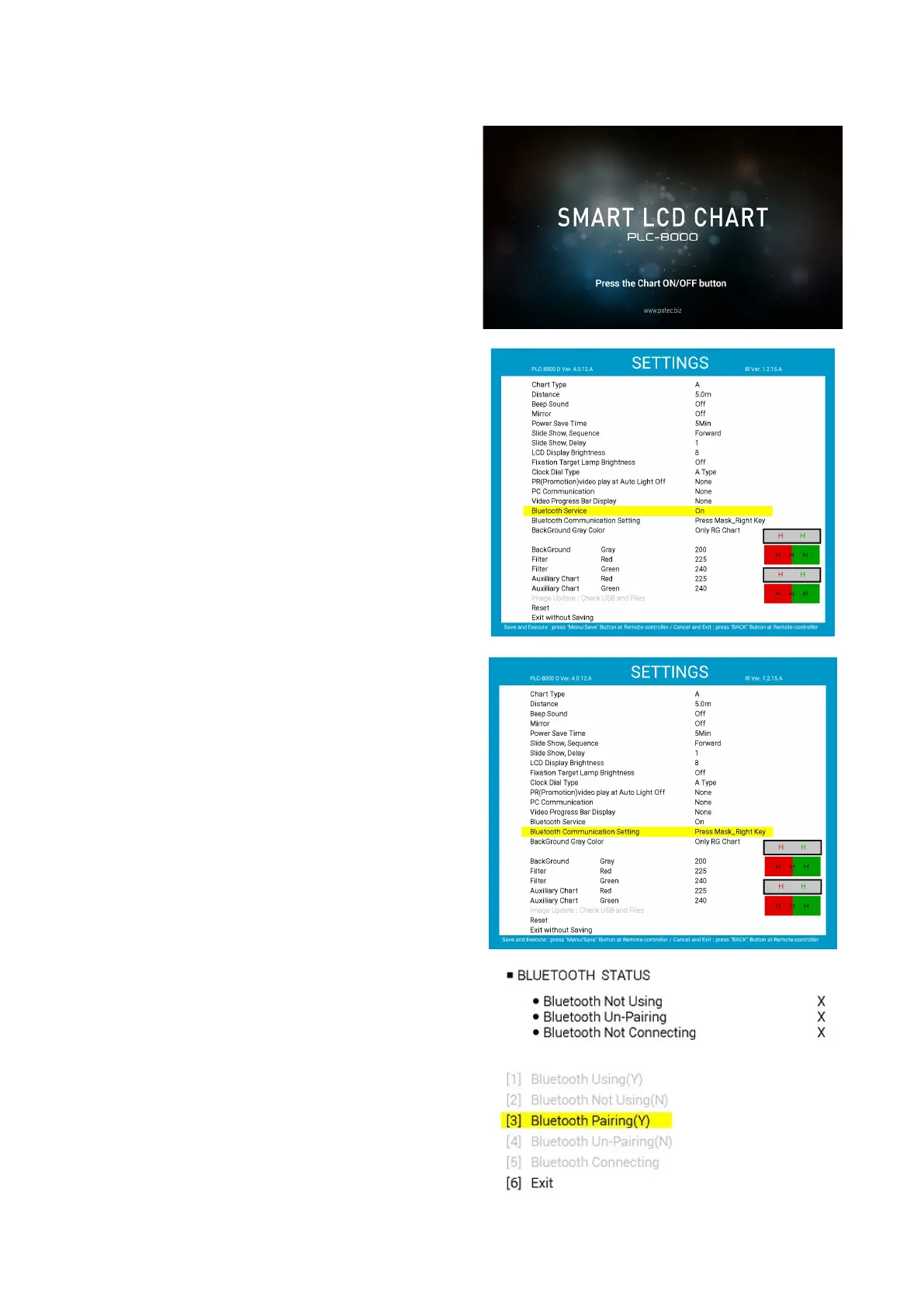
(2) Press “on/off button” of remote controller on start-
up screen.
(3) Turn on the PLC-8000(pola).
(4) When the PLC-8000(pola) logo screen, press the
SETUP button on the remote control to go to the
SETUP menu.
(5) Change the Bluetooth service item to On.. Press
the menu button again to save and exit the
SETTINGS screen. After that, reboot.
(6) Use the up and down buttons to move to the
Bluetooth item, select(right button).
(7) Select '[3] Bluetooth Pairing (Y).' (Right button)
(8) When pairing is completed, 'Pairing Success'
message will be output..



 To Next Page