To navigate between hyperlink topics using a keyboard, select ALT+◄ or ALT+►.
18
Table of Contents
Remote Startup
▲ Before using the generator, read and comply with all Safety Alerts and Icons.
Before starting the generator, make sure the 12V battery is fully charged. The generator requires at least 10.5
cranking volts of battery charge to provide power for startup components and sensors.
To start the generator with the remote key fob:
1. Verify that the ignition switch is in the OFF position.
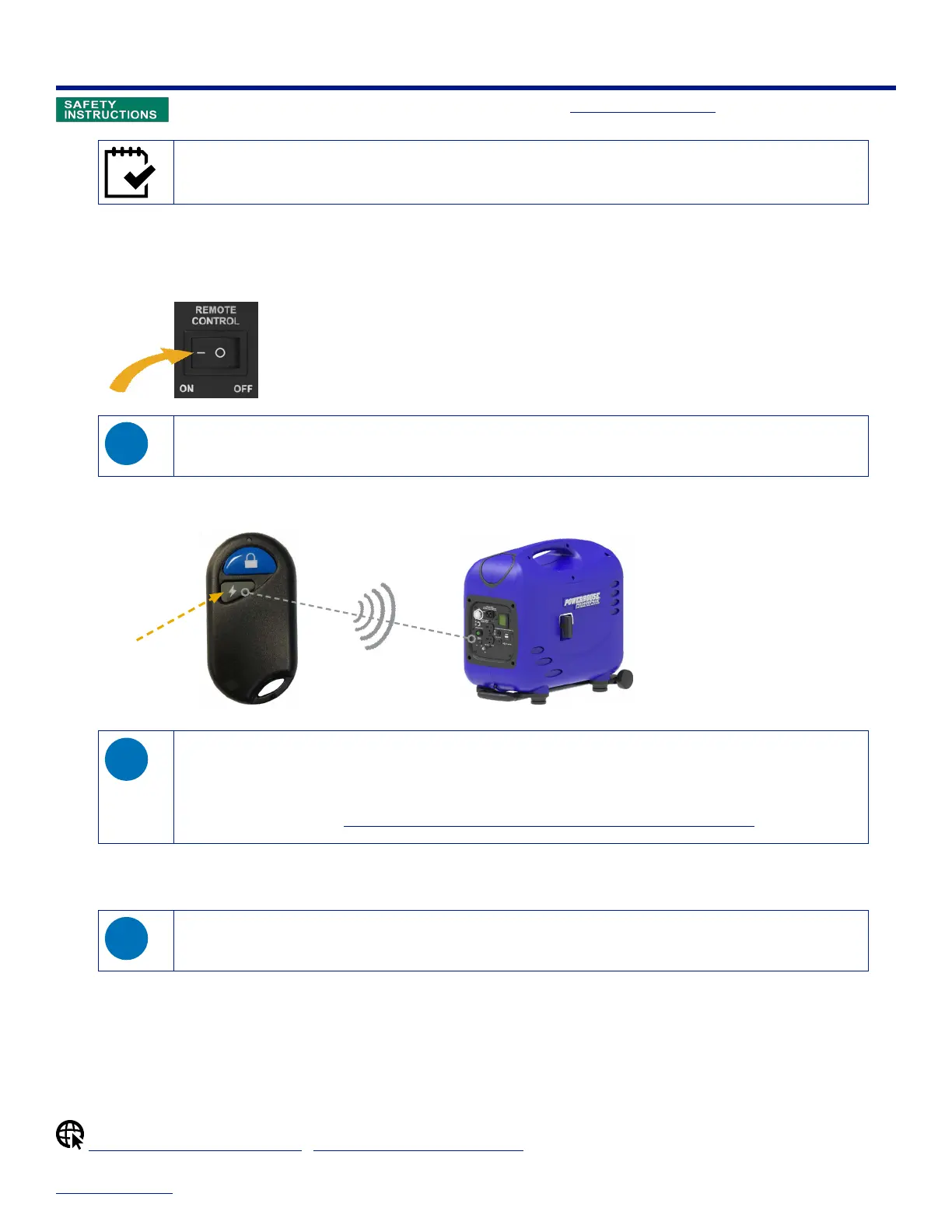
2. On the control panel, set the remote switch to the ON position. The LCD on the control panel illuminates.
Once the remote switch is ON, if you do not start the generator within 30 seconds, the LCD dims to conserve
battery power.
3. Using the remote key fob, press and hold the gray start button for several seconds until the engine starts. Release and
repeat if necessary.
Press to
START
≤ 75Ft (22m)
◊ When using the remote key fob, make sure you have an unobstructed line of sight to the generator and are no
farther than 75ft. away.
◊ When pressing the start button on the remote key fob, there is a 1–3 second delay before the engine cranks while
the fuel system reaches the proper pressure.
◊ For additional help, see Troubleshooting: Engine Does Not Start with Remote Key Fob.
The LCD shows output voltage when the generator is ready for use.
4. Connect your appliance to the generator's output receptacle.
Make sure that appliances are in good working condition and that the combined electrical rating of all
connected appliances does not exceed that of the generator (2400W max). If you don't know the watts for your
appliance, multiply the amperage by the output voltage. For example: 20A x 120V = 2400W.
5. Turn your appliance on.
Shutdown with Remote Key Fob
|
Clearing an Overload Condition


 To Next Page