Installation
18
Powerware
®
5125 Two-in-One (2400–3000 VA) User’s Guide : www.powerware.com
Rack-Mount Setup
The UPS can be installed in 19-inch racks and needs only 2U of valuable
rack space.
CAUTION
The UPS and Extended Battery Module are heavy (see page 47). A minimum of two
people are required to lift the UPS into the rack.
NOTE Fixed mounting rails are required for each cabinet. If fixed rails are not already
installed in your rack, contact your local distributor to order a rail kit.
Use the following procedure to install the UPS in a rack:
1. Place the UPS on a flat, stable surface with the front of the UPS
facing toward you.
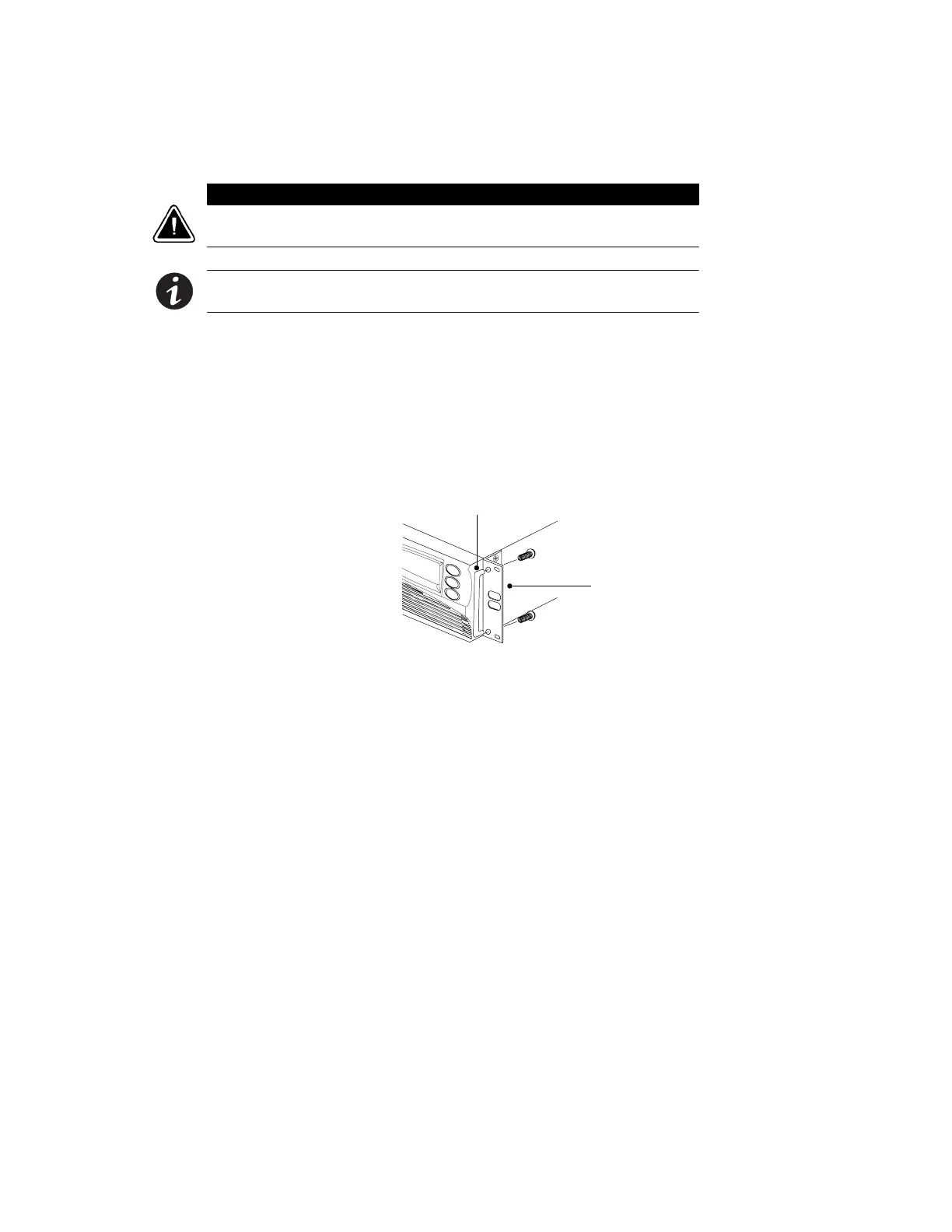
2. Attach the supplied mounting handles to the mounting
brackets (see Figure 2).
3. If installing optional EBMs, repeat Steps 1 and 2 for each
cabinet.
Mounting Handle
Mounting
Bracket
Figure 2. Installing the Mounting Handles



 To Next Page