Additional UPS Features
36
Powerware
®
5125 Two-in-One (2400–3000 VA) User’s Guide : www.powerware.com
3. To prevent electrostatic discharge (ESD), place one hand on a
metal surface such as the UPS rear panel.
Align the single-port module with the slot guides and slide the
module into the slot until it is firmly seated.
4. Secure the single-port module with the screws removed in
Step 1.
Load Segments
Load segments are sets of receptacles that can be controlled by power
management software, providing an orderly shutdown and startup of
your equipment. For example, during a power outage, you can keep key
pieces of equipment running while you turn off other equipment. This
feature allows you to save battery power. See your power management
software manual for details.
NOTE If the power management software is not used, the individual load segments
cannot be controlled.
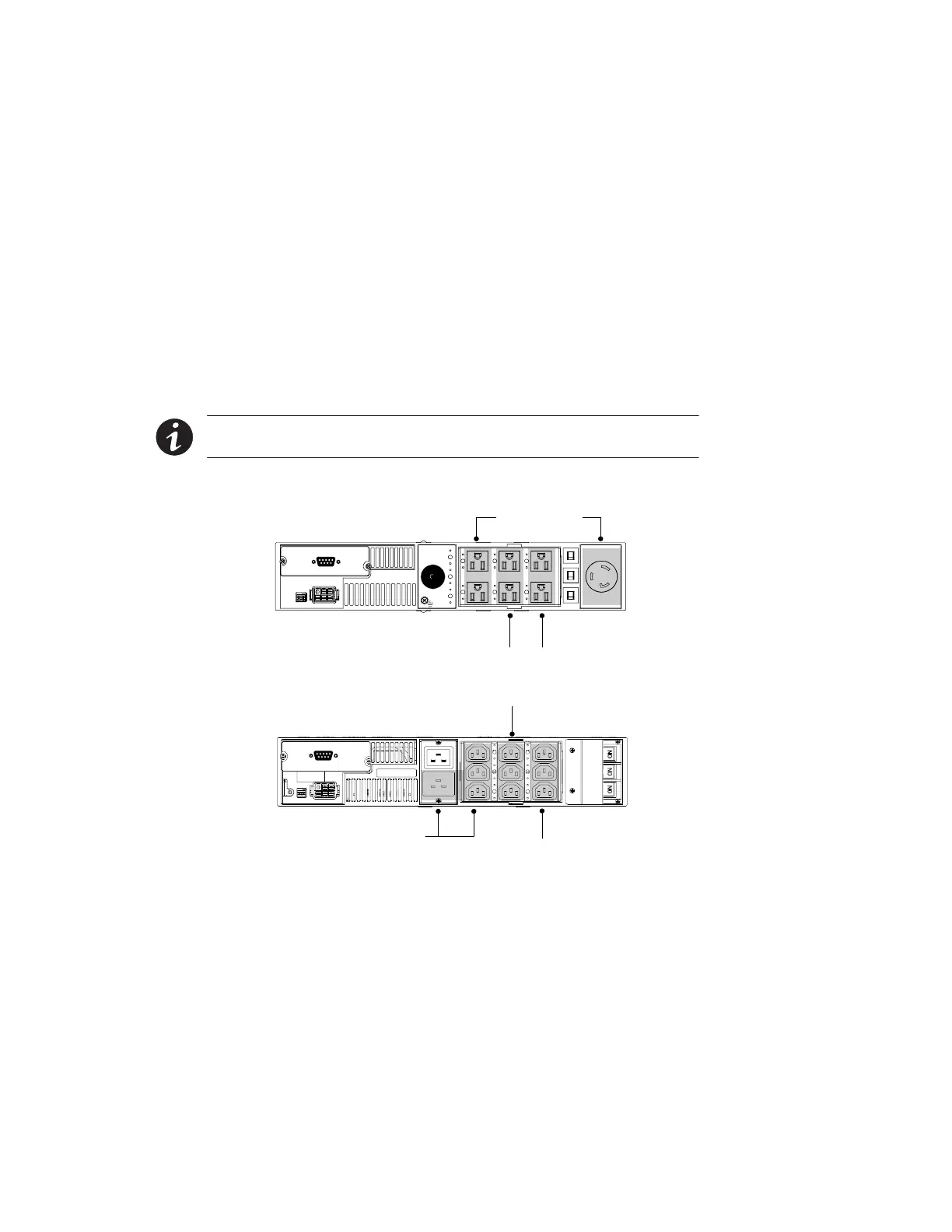
Each UPS has three load segments as shown in Figure 24 and Figure 25.
Load Segment 2
Load Segment 3
Load Segment 1
Figure 24. UPS Load Segments (120V Model Shown)
Load Segment 2
Load Segment 3Load Segment 1
Figure 25. UPS Load Segments (PW5125 3000g RM Model Shown)



 To Next Page