UPS Maintenance
40
Powerware
®
5125 Two-in-One (2400–3000 VA) User’s Guide : www.powerware.com
Replacing the Electronics Module
The electronics module can be hot-swapped for easy replacement
without losing power to your equipment. The UPS automatically
switches to Bypass mode. Battery mode is not available; however, the
utility power continues to be passively filtered by the UPS.
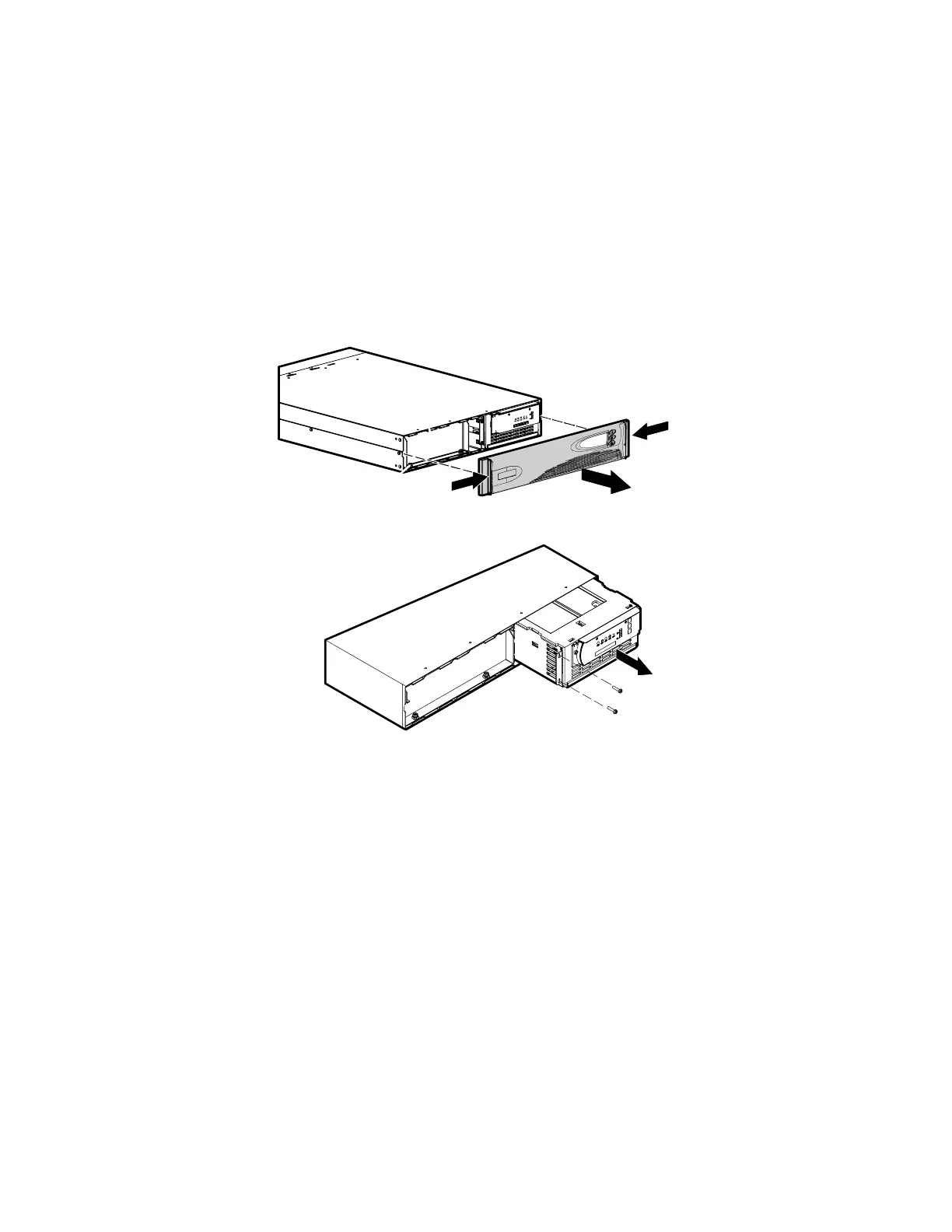
Use the following procedure to replace the electronics module:
1. Disconnect the Extended Battery Module cable, the Remote
Emergency Power-Off cable, and the communication cable if
installed.
2. Remove the UPS front panel by pulling on both ends.
3. Remove the two screws on the left of the electronics module.
4. Remove the electronics module.
5. Replace the electronics module and secure to the UPS chassis
with the screws removed in Step 3.
6. Replace the front panel.
7. Reconnect any cables removed in Step 1.



 To Next Page