51
Powerware
®
5125 Two-in-One (2400–3000 VA) User’s Guide : www.powerware.com
CHAPTER 8
TROUBLESHOOTING
This section explains:
:
UPS alarms and conditions
:
How to silence an alarm
:
Service and support
Audible Alarms and UPS Conditions
The UPS has an audible alarm feature to alert you of potential power
problems. Use Table 8 to determine and resolve the UPS alarms and
conditions.
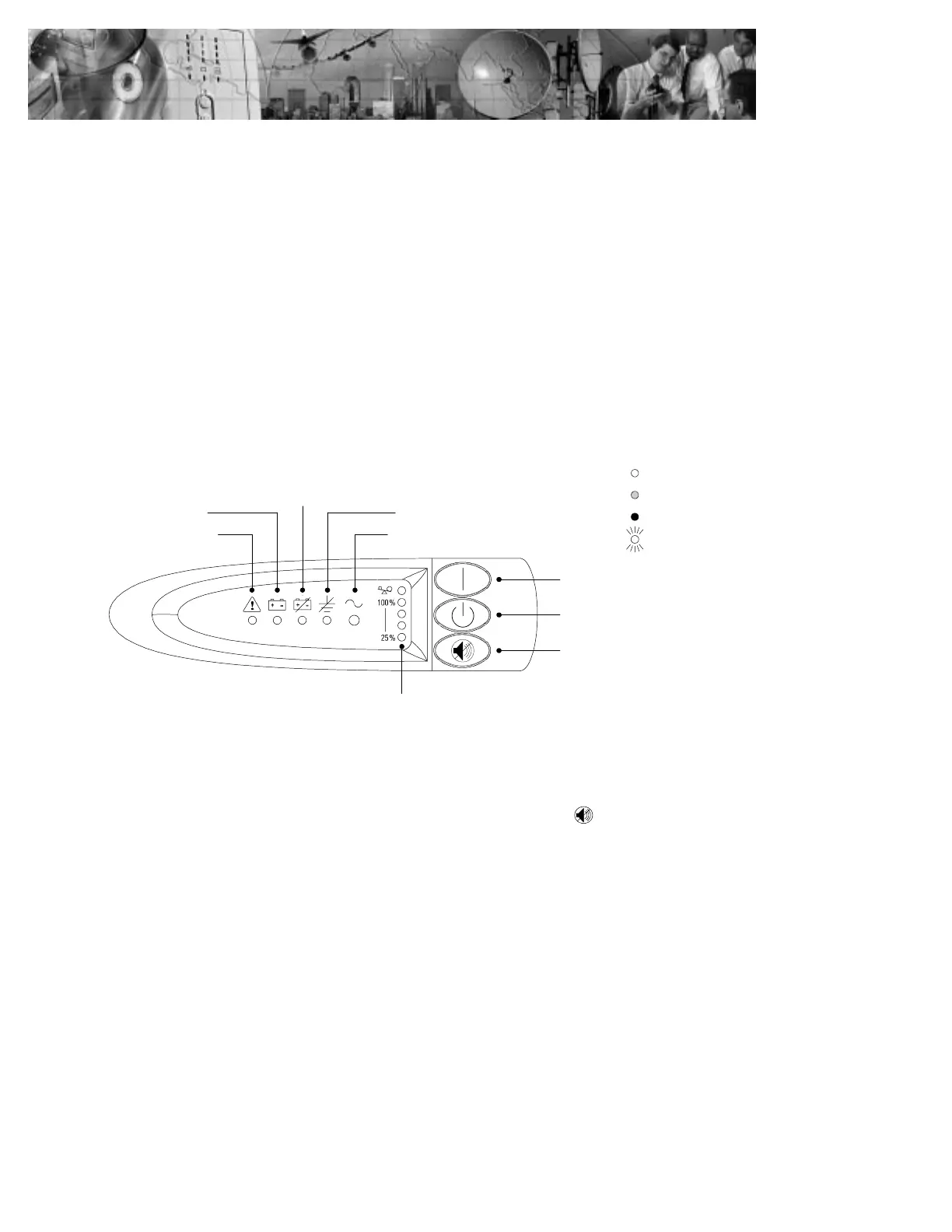
Load Level Indicators
On Button
Off Button
Test/Alarm Reset Button
General Alarm
On Battery
Battery Service
Site Wiring Fault
Power On
Red
Flashing
Unlit
Green
Indicator Legend
Figure 28. Alarm Indicators
Silencing an Audible Alarm
To silence the alarm for an existing fault, press the button. If UPS
status changes, the alarm beeps, overriding the previous alarm silencing.
The alarm does not silence if there is a low battery condition.



 To Next Page