UPS Maintenance
43
Powerware
®
5125 Two-in-One (2400–3000 VA) User’s Guide : www.powerware.com
How to Replace Internal Batteries
CAUTION
Pull the battery out onto a flat, stable surface. The battery is unsupported when you
pull it out of the UPS.
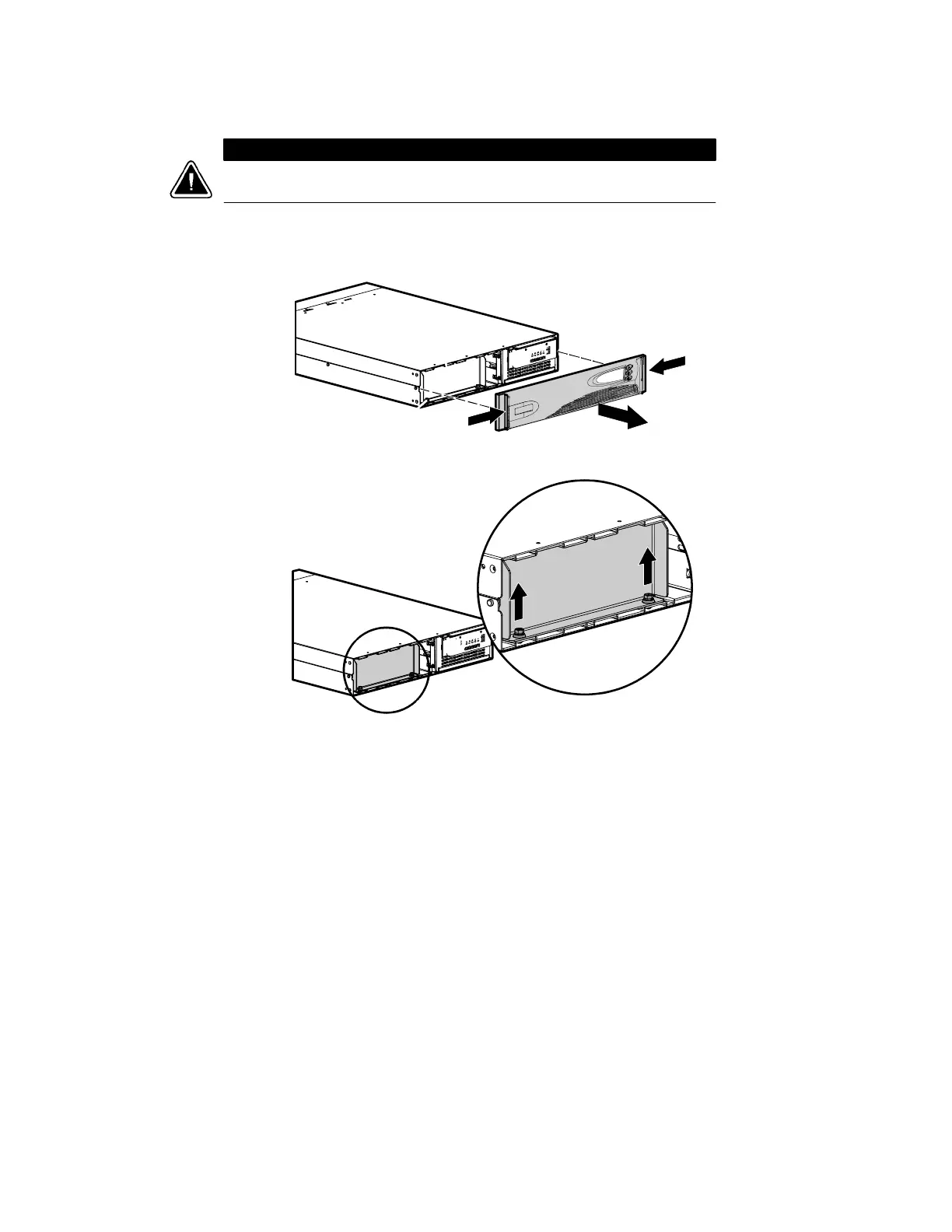
Use the following procedure to replace internal batteries:
1. Remove the UPS front panel by pulling on both ends.
2. Unscrew and set aside the battery retaining bracket.



 To Next Page