Installation
24
Powerware
®
5125 Two-in-One (2400–3000 VA) User’s Guide : www.powerware.com
Installing the UPS
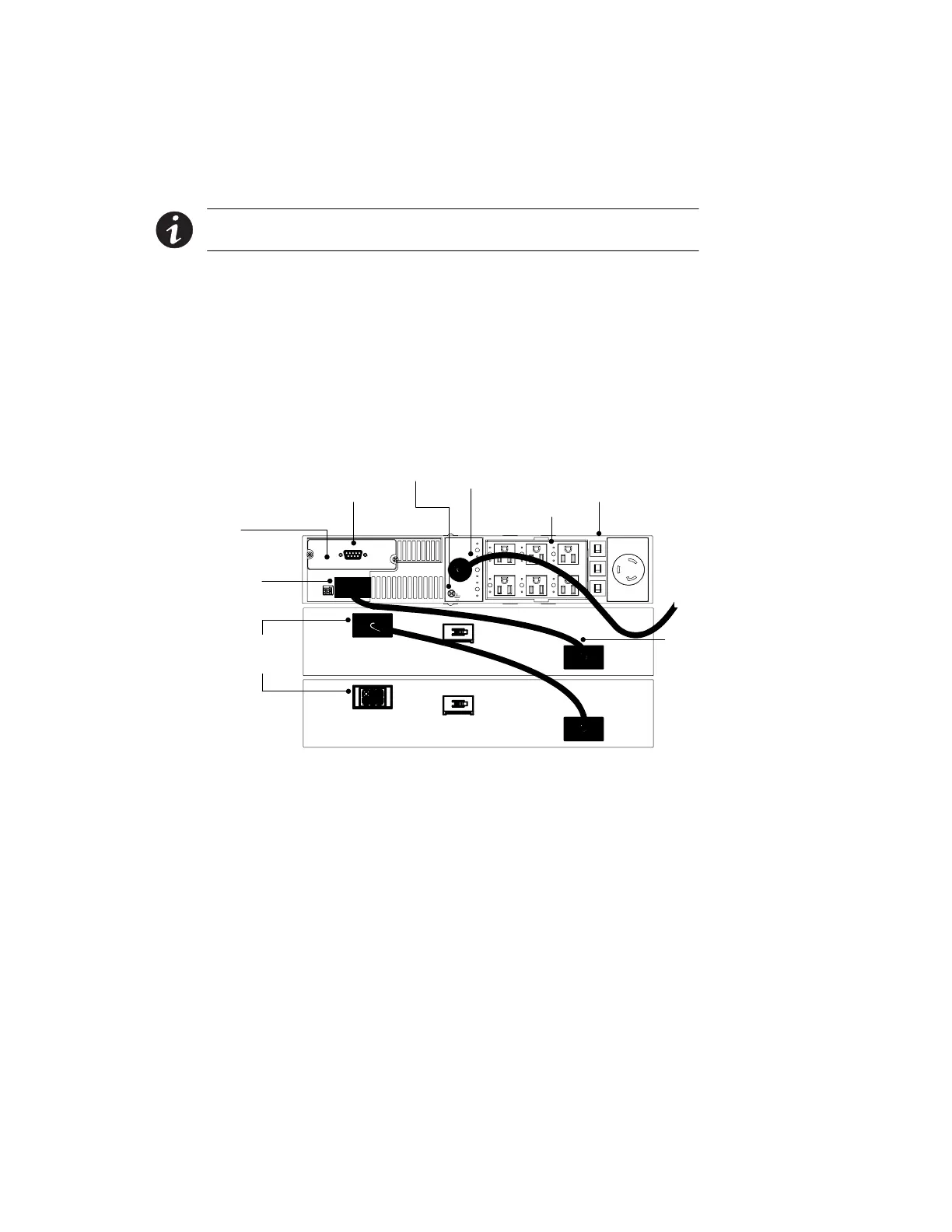
The following steps explain how to install the UPS. Figure 13 shows a
typical installation only. See “UPS Rear Panels” on page 26 for the rear
panel of each model.
NOTE Do not make unauthorized changes to the UPS; otherwise, damage may occur
to your equipment and void your warranty.
1. If installing an optional EBM, continue to Step 2; otherwise,
skiptoStep5.
2. Plug the EBM cable into the UPS battery connector (see
Figure 13).
3. Plug the other end of the EBM cable into the EBM battery
connector.
4. For additional EBMs, plug the EBM cable into the battery
connector of each EBM. Up to four EBMs may be connected to
the UPS.
Ground Bonding Screw
Output Receptacles
Communication Port
Power Cord
X-Slot
UPS Battery
Connector
EBM
Cable
EBM Battery
Connectors
Circuit Breakers
Figure 13. Typical Installation with Two EBMs



 To Next Page