34 - 3 Setting up your computer
Connecting to power
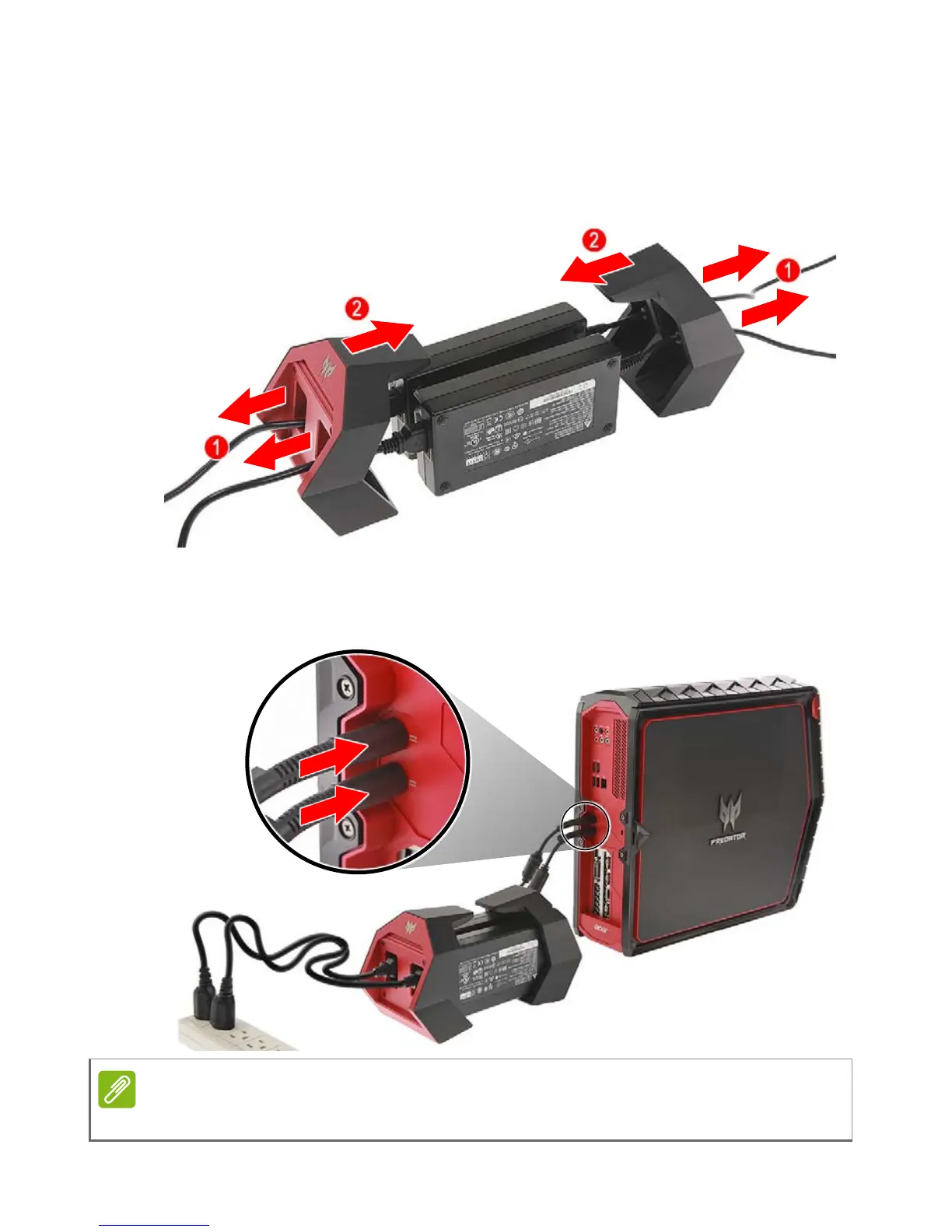
1.Insert the adapter cables (1) and place the power adapters into the
power adapter holder (2).
2.Plug the power cords into the DC-in jack 1 and 2 power connectors,
then into an electrical outlet.
The system will not turn on unless both power adapters are plugged-in.



 To Next Page